知識點分析
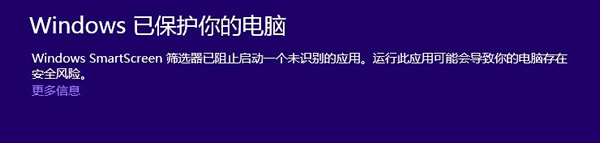
Windows 8 安裝軟件時,SmartScreen 篩選器可能彈出「已阻止啟動」警告。其原理:系統將下載程序信息發送至微軟服務器評估。若應用合法常用(如搜狗瀏覽器),自動放行;若無相關信息(無論是惡意插件還是新應用),均會攔截運行。IE8/IE9 同理。
操作步驟
方法一:允許單次運行(推薦)
- 確認程序安全後,點擊「更多信息」。
- 點擊「仍要運行」按鈕,系統即允許運行。
方法二:關閉 SmartScreen 篩選器
- 按 Win+X → 選擇「控制面板」。
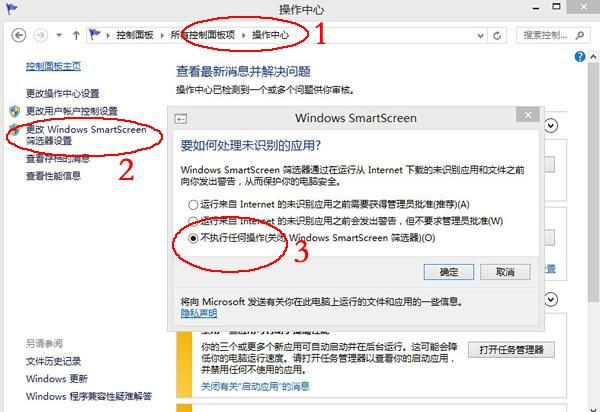
- 進入「操作中心」→「更改 Windows SmartScreen 篩選器設置」。
- 選擇「不執行任何操作(關閉 Windows SmartScreen)」→ 確定。