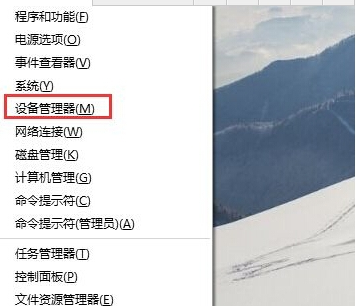
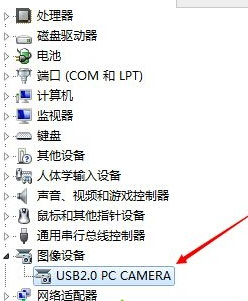
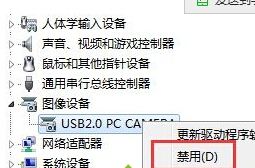
透過裝置管理員直接禁用攝影機裝置,為硬體層面切斷,任何軟體 (含惡意程式) 均無法存取畫面,視訊結束後建議養成習慣。
Camera
Integrated Camera
Webcam
需使用時,同路徑右鍵選 啟用裝置 即時恢復。建議搭配實體遮蓋貼紙雙重防護。
Win8 Metro 版人人網登出教學:三種常見登出路徑
Windows 8.1 新增語言包完整教學:介面語言切換與語音辨識安裝
Windows 8.1 Update 安裝失敗錯誤碼 80073712 現況彙整
Win8 內建微軟拼音無法刪除?添加英文語言包繞過限制刪除法
VHD 原生啟動安裝 Windows 8 雙系統教學:ImageX 部署、差分備份與卸載全流程
Windows 8 設定系統保護開關與調整還原點最大磁碟使用量
Win8/8.1 關閉 Modern 鎖定畫面 (群組原則法)
Windows 8 右鍵選單新增關機、重啟、登出等電源選單