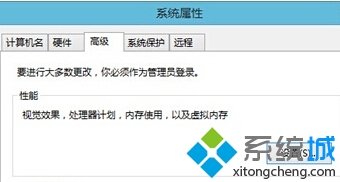
系統提示找不到開機檔案 (常見於 Ghost 還原後),可能是系統屬性中「啟動與故障修復」設定錯誤,導致無法正確識別啟動項目。
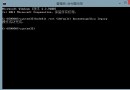
此設定修正啟動記錄行為,輔助系統正確載入開機配置資料 (BCD),解決 Ghost 還原後找不到啟動檔案的問題。
Win8 檔案總管快速存取工具列怎麼顯示?一鍵新增資料夾、刪除、復原
Windows 8 找不到掃雷與紙牌?必須從應用商店自行下載
Windows 8 預設關閉刪除確認對話框 刪除檔案更順暢
AMD 展出 Windows 8 混合型平板 可外接底座升級效能散熱 仁寶代工
Windows 8 開發者預覽版提供下載:三版本鏈接、系統需求、升級保留規則、缺失功能說明
Win 8 還原出廠設定完整指南:保留檔案重設 vs 完全清理磁碟機兩種模式選擇與操作流程
Windows 8 手動綁定 ARP 防禦網路攻擊完整教學
Windows 8 開機藍屏常見原因與解決對策:QQ 版本、驅動、超頻、記憶體檢測