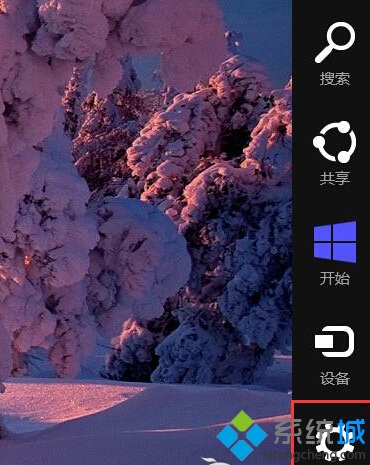
不想每次開機輸入密碼?Windows 8 可在「電腦設定」中將本地帳戶密碼設為空白,實現免密碼直接進入桌面。
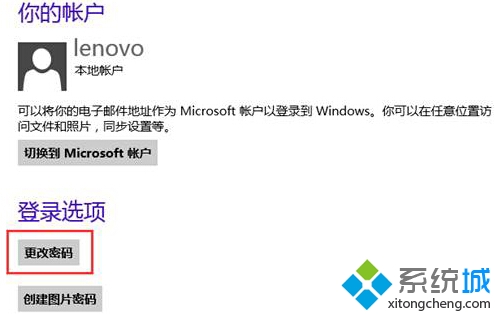
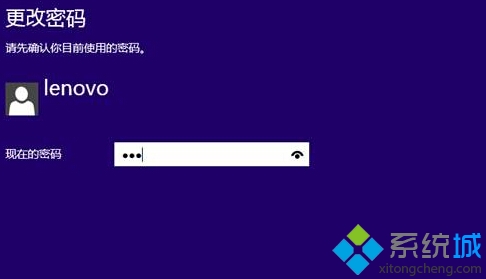
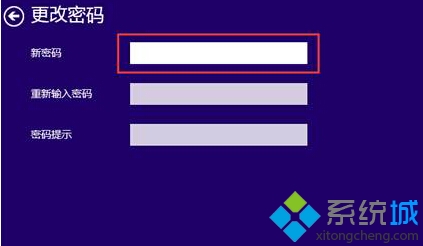

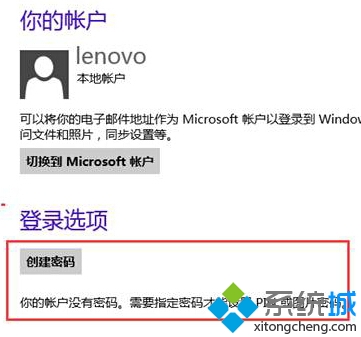
設定完成後,下次開機將直接進入桌面,無需輸入密碼。注意:此僅影響本地帳戶,Microsoft 帳戶無法移除密碼。
Win8.1 2014 Update 卸載教學:還原至 Win8.1
體驗 Windows 8:Metro 版 QQ 好友平鋪桌面、關機移至右側 Charms Bar
華碩規劃 2012 Q3 發布 Windows 8 Eee Pad 平板
Win8.1 輕鬆玩轉內建 SkyDrive (OneDrive) 雲端硬碟:四大實戰操作技巧
Windows 8 Flash Player 無法運作?三步驟檢查 IE 附加元件與 ActiveX 篩選
Win8.1 關閉 Windows Update 自動更新:控制台三步驟設為「從不檢查」