Win7 可用 Ghost 備份還原,但實測:
- 小馬激活 + Ghost 還原 → 顯示剩餘 29 天試用期。
- Win7 Activation 1.7 激活 + Ghost 還原 → 短期內正常,一段時間後還原又失效,進入桌面卡死,安全模式也無法激活。
根因在於 激活機制與硬體綁定/時間戳記,Ghost 還原可能破壞授權狀態。建議:
- 嘗試不同版本 Ghost (如舊版 Ghost 11/12) 或在 WinPE 下操作 Ghost。
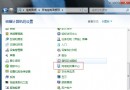
- 首選 Windows 7 內建「備份與還原」+ 系統修復光碟:相容性最好、授權狀態完整保留、操作圖形化、支援裸機還原 (Bare Metal Recovery)。
- 若需磁碟級遷移/複製 (非系統備份),Ghost 仍具優勢。
系統內建備份已超越 Ghost 於系統級還原場景,善用原生工具省心省力。