下載大檔、離開電腦前想讓電腦自動關機?Win7 內建 shutdown.exe 指令支援倒數計時、強制關閉、取消排程,無需第三方軟體。本文說明指令參數、實操範例與建立捷徑一鍵執行技巧。
shutdown [/s | /r | /h] [/f] [/t xxx] [/c "註解"] [/a]
| 參數 | 說明 |
|---|---|
/s | 關機 |
/r | 重新開機 |
/h | 休眠 |
/f | 強制關閉應用程式(不提示儲存) |
/t xxx | 倒數秒數(0~315360000,預設 30 秒) |
/c "msg" | 關機對話框顯示的註解訊息 |
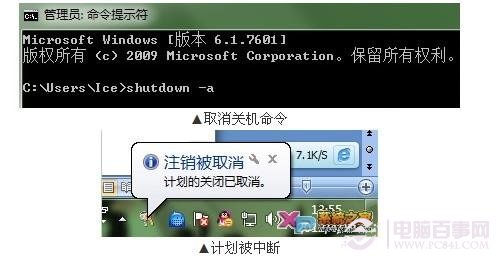
/a | 中止已排程的關機/重開機 |
shutdown /s /f /t 5400 /c "下載完成自動關機"shutdown /r /f /t 1800shutdown /s /f /t 0shutdown /acmd → Enter。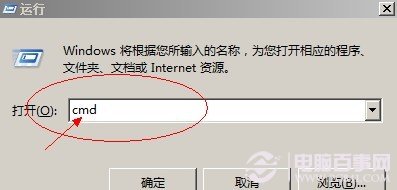
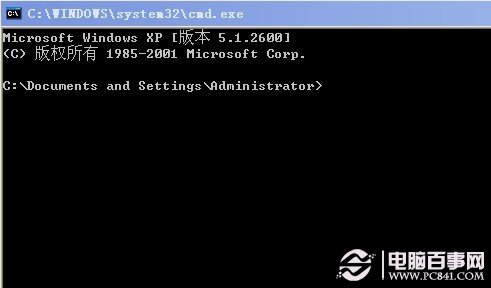
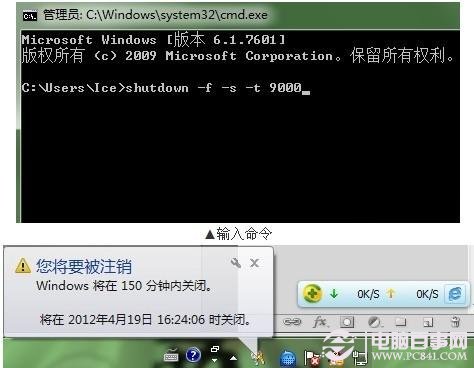
shutdown /s /f /t 3600 /c "1小時後關機"同理建立目標為 shutdown /a 的捷徑,命名「取消關機」。
shutdown.exe、引數 /s /f /t 0。/f 會強制關閉未儲存文件,請確認重要檔案已存檔。/h 不支援 /t 參數,需搭配 timeout 指令延遲。延伸閱讀:電腦自動關機指令大全