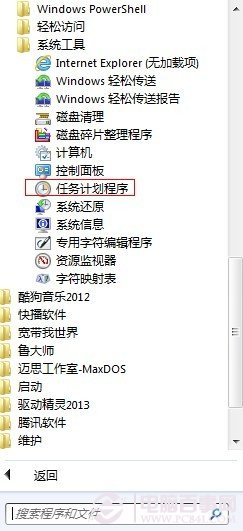
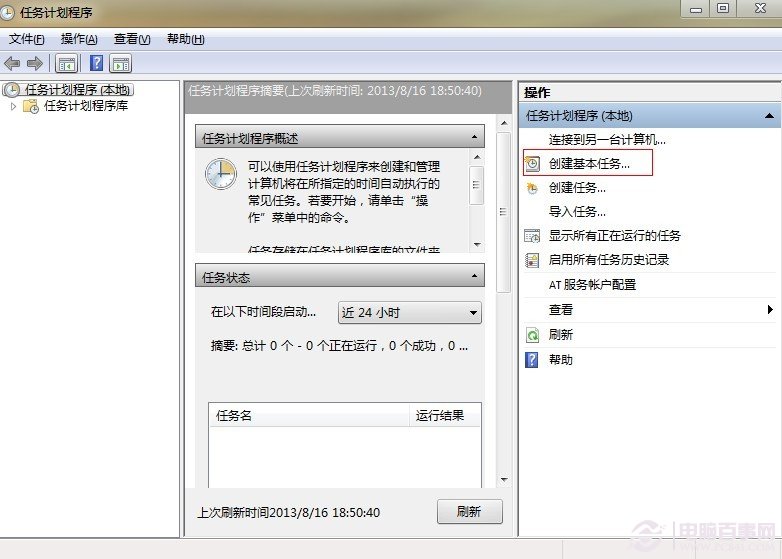
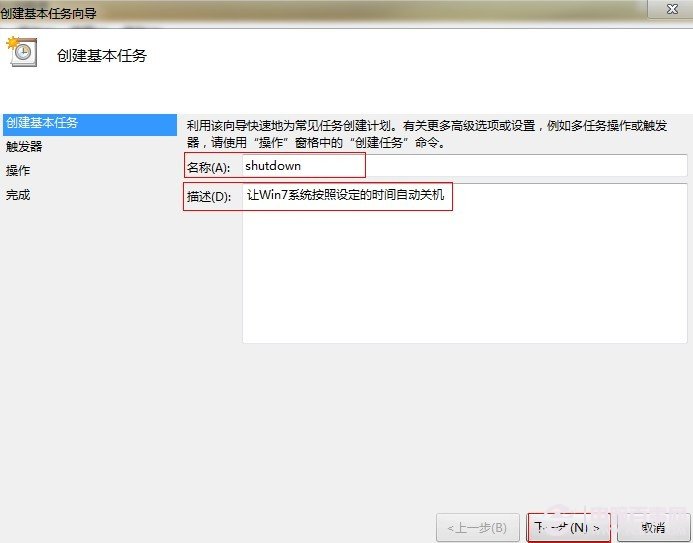
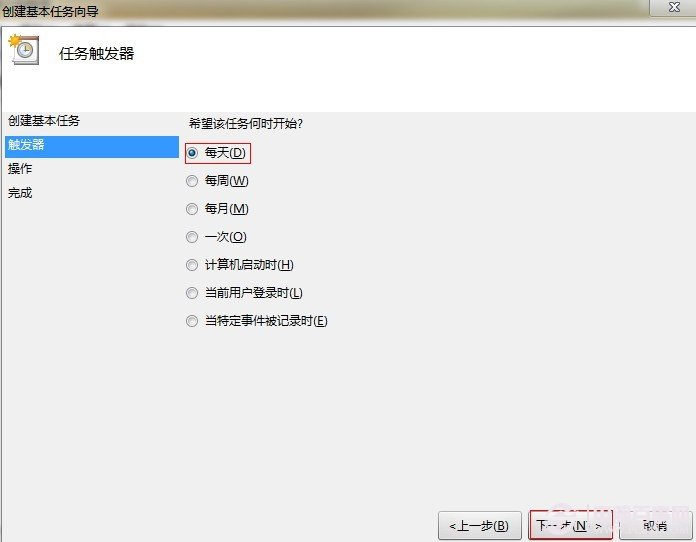
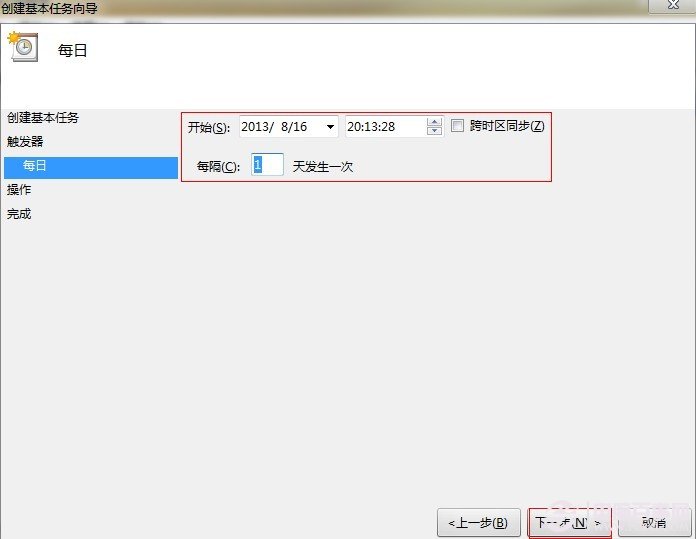
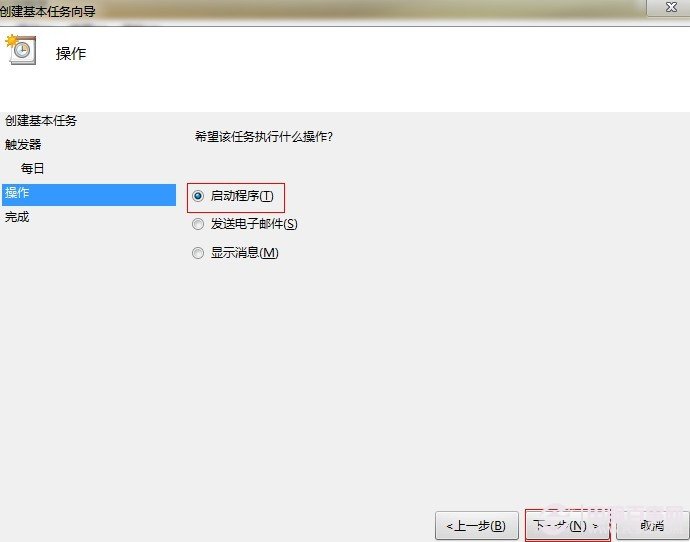
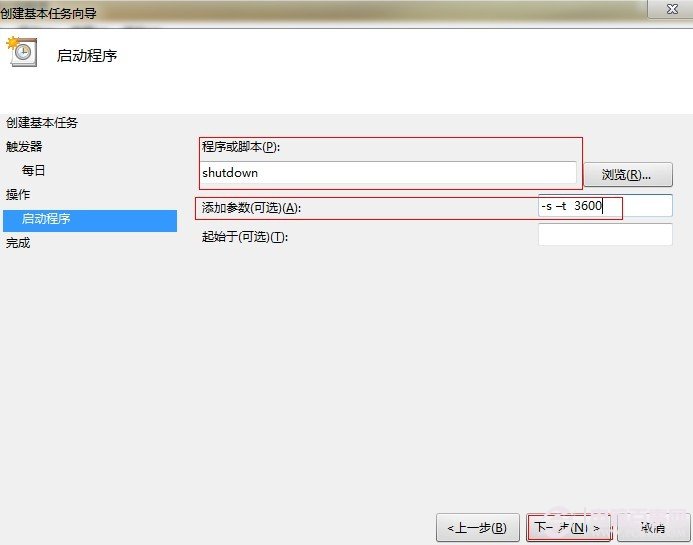
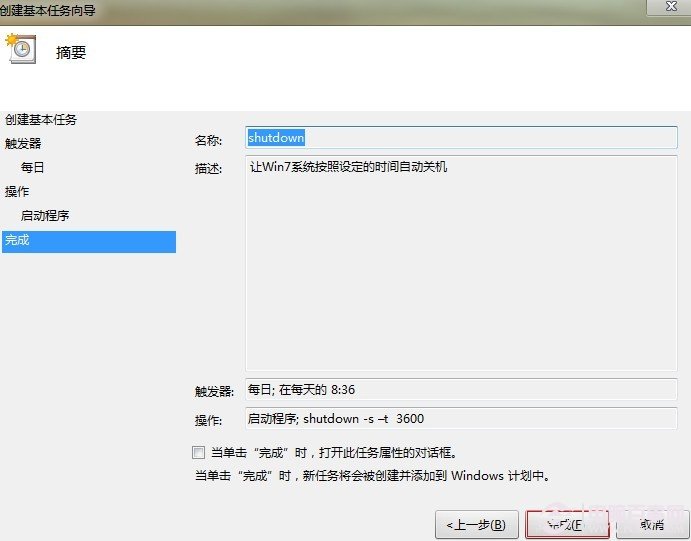
利用內建「工作排程器」+ shutdown 指令,實現定時/單次/週期性自動關機,無需第三方軟體。
shutdown
-s -t 3600
-s
-f
-t xxx
-a
shutdown -a
亦可搭配批次檔執行備份、清理等前置動作再關機,發揮排程器自動化優勢。
Windows 7 實現開機自動撥號上網:登錄啟動項法
Windows 7 低級搞笑 Bug 之二:螢幕鍵盤數字鍵盤 3 和 8 顯示錯誤 (實際輸入正常)
Windows 7 任務管理器直接檢視程式虛擬記憶體 (提交大小) 用法
Windows 7 系統盤瘦身全攻略:三招輕鬆騰出寶貴空間
Windows 7 多核心效能實測:雙路四核 Xeon 5500 超越 XP 47%~178%
64 位元 vs 32 位元 Windows:核心差異、記憶體突破與效能迷思完整解析
Win7 命令提示字元字體太小?屬性設定放大字體護眼
揭開 Windows 7 17 項隱藏技巧(上):工作列鍵盤捷徑、圖示拖曳排序、Ribbon 介面、問題步驟記錄器、多時區時鐘