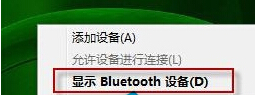
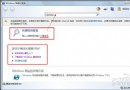
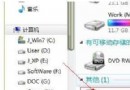
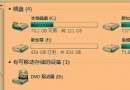
Win7 使用過藍牙裝置後,任務列右鍵選單會出現「Bluetooth 周邊裝置」選項。若不再使用,刪除該藍牙裝置配對即可自動隱藏選單項目。
此為系統自動管理行為,無需修改登錄或群組原則。
Win 7 任務列電源/操作中心圖示消失/變灰?組策略一鍵修復
Win7 系統加速 8 大技巧:開機、關機、切換、資源全面優化
Win7 激活完整教學:正版金鑰激活與 KMS/OEM 工具激活對比
Win 7 記事本快速插入當前時間:.LOG 技巧與 F5 熱鍵、輸入法替代方案
Win7 DNS 錯誤導致網頁打不開?三種修正 DNS 設定方法
Win7 服務精簡實戰:手動優化 150+ 系統服務,低配電腦也能跑出流暢體驗
Win7 開機提示 DLL 檔案錯誤?刪除登錄 Run 鍵值與啟動項修復
Win7 檔案正在使用無法刪除?資源監視器精準定位鎖定進程強制釋放