需要知道目前使用者或系統的 SID(Security Identifier)進行權限設定?無需第三方工具,命令提示字元一行指令即可顯示。
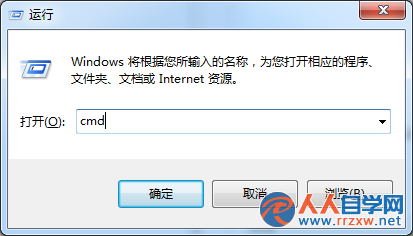
cmd
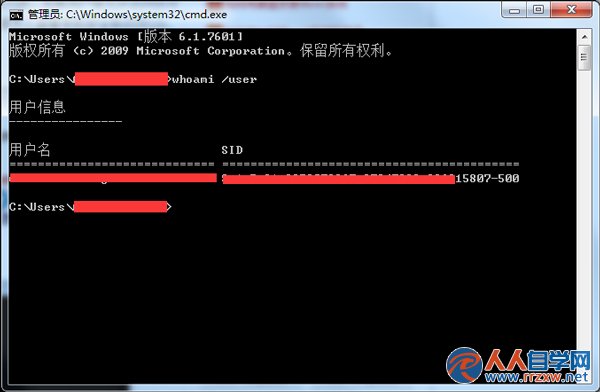
whoami /user
SID
若需查看所有使用者 SID,可用 wmic useraccount get name,sid。
wmic useraccount get name,sid
Win7 系統清理 Word 2007 最近使用檔案記錄保護隱私
Win7/Win8.1 開啟 CHM 檔案一片空白?右鍵「解除鎖定」屬性一秒修復
一秒移除 Win7 捷徑小箭頭:批次檔修改登錄 + 重建圖示快取
Windows 7 家庭群組:家庭網路資源共享零設定
Win7 資源監視器查看 QQ 好友 IP:無需第三方插件,系統自帶神器
Win7 筆電架設 IIS + PHP 開發環境:讓區網同事直接預覽 Axure 原型
Win7 滑鼠拖曳瞬間整理視窗:Aero Snap、Shake、Peek 三大桌面魔法
Win7 開機報錯 0xc0000098?系統盤修復 BCD 引導檔案四步指令搞定