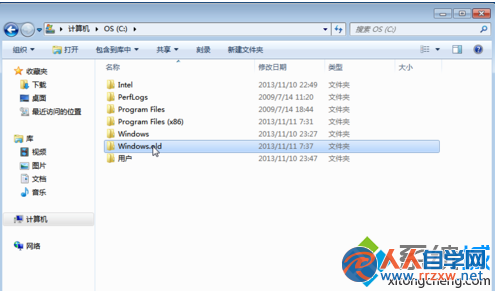
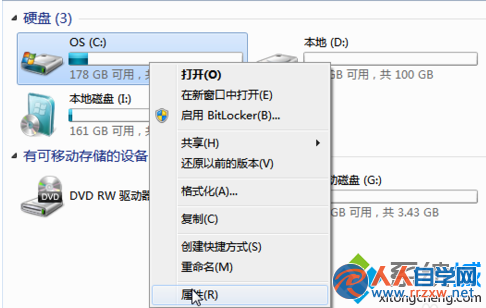
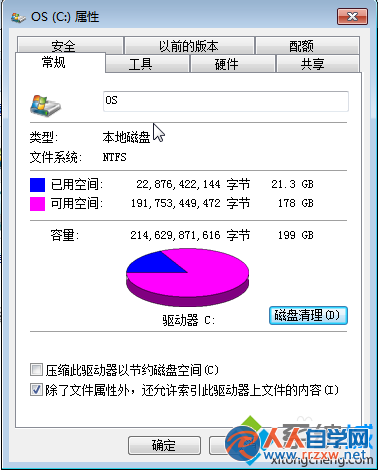
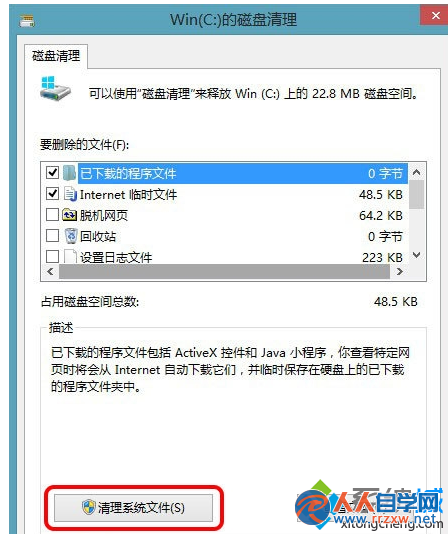
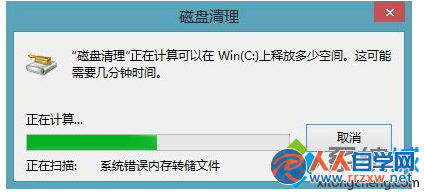
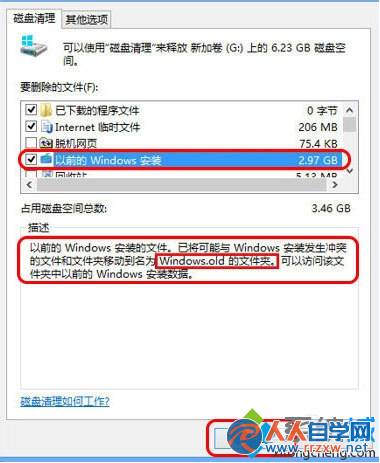
重裝/升級 Windows 7 後,系統會保留舊版系統檔案於 C:\Windows.old 資料夾 (通常佔用 10~20 GB 以上)。透過內建「磁碟清理」工具勾選「以前的 Windows 安裝」即可安全移除,無需手動刪除導致權限錯誤。
C:\Windows.old
補充: Windows.old 僅供回滾舊版系統或手動取回舊檔案,確認新系統穩定且無需舊檔後可放心刪除,對新系統無任何影響。
Windows.old
Win7 刪除使用者帳號:控制台圖解步驟與資料備份提醒
Win7 開機變慢怎麼辦?msconfig 設定最大記憶體與處理器核心數加速啟動
Win7 無法執行 JAR 檔案?確認 Java 版本對應與啟用 Windows Installer 服務
Win7 玩遊戲彈出「配色方案正在修改」解決方法與主題設定建議
Windows 7 VHD 原生開機完整部署指南:從建立 VHD 到多重開機選單
Win7 系統 Aero 透明特效關閉完整教學
Win7 IE 瀏覽器提示「只顯示安全內容」?調整混合內容設定解決
Win7 設定 Everyone 完整權限圖文教學:資料夾/磁碟分區通用