Windows Update 報錯 8024402f,常因網絡擁塞、安全軟體攔截、或系統加密服務文件損壞。本文提供系統性排查修復方案。
Cryptographic Services 或相關 DLL 文件損壞/遺失。關閉 Windows Update,重啟電腦,稍後再試;或避開上網高峰時段。
執行更新前關閉所有後台監控類安全軟體,取消代理伺服器設置。
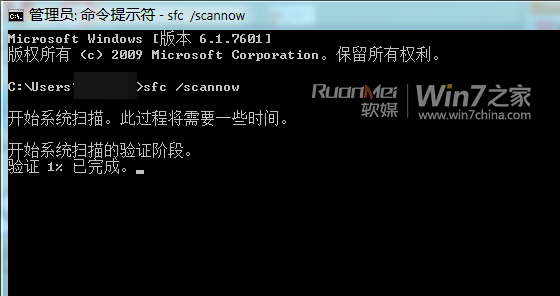
以管理員身份運行 CMD,執行:SFC /SCANNOW(注意空格)。
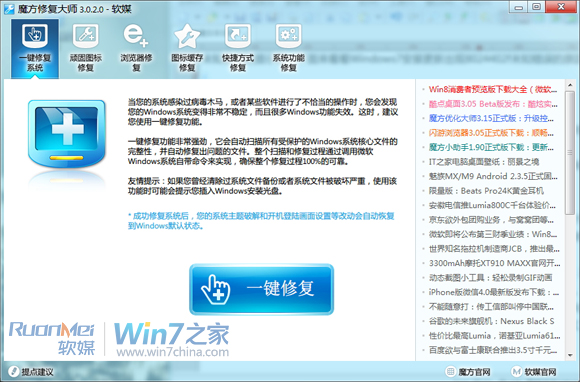
或用「魔方優化大師」→「修復大師」→「一鍵修復系統功能」。
在管理員 CMD 中依次執行:
REGSVR32 C:\Windows\system32\CRYPTDLG.DLL
REGSVR32 C:\Windows\system32\DSSENH.DLL
REGSVR32 C:\Windows\system32\GPKCSP.DLL
REGSVR32 C:\Windows\system32\INITPKI.DLL
REGSVR32 C:\Windows\system32\MSSIP32.DLL
REGSVR32 C:\Windows\system32\RSAENH.DLL
REGSVR32 C:\Windows\system32\SCCBASE.DLL
REGSVR32 C:\Windows\system32\SLBCSP.DLL
REGSVR32 C:\Windows\system32\SOFTPUB.DLL
REGSVR32 C:\Windows\system32\WINTRUST.DLL
或建立批次檔 註冊.bat 一鍵執行(需管理員權限):
Regsvr32 /s C:\Windows\system32\CRYPTDLG.DLL
Regsvr32 /s C:\Windows\system32\DSSENH.DLL
Regsvr32 /s C:\Windows\system32\GPKCSP.DLL
Regsvr32 /s C:\Windows\system32\INITPKI.DLL
Regsvr32 /s C:\Windows\system32\MSSIP32.DLL
Regsvr32 /s C:\Windows\system32\RSAENH.DLL
Regsvr32 /s C:\Windows\system32\SCCBASE.DLL
Regsvr32 /s C:\Windows\system32\SLBCSP.DLL
Regsvr32 /s C:\Windows\system32\SOFTPUB.DLL
Regsvr32 /s C:\Windows\system32\WINTRUST.DLL
重啟後系統重新加載修復的加密服務,錯誤應解決。