Windows XP Windows 7 Windows 2003 Windows Vista Windows 綜合教學 Linux 系統教學
Windows 10 Windows 8 Windows 2008 Windows NT Windows Server 電腦軟體教學

Windows 7「死亡黑畫面」問題解決方案

編輯:Win7 常見問題解答

微軟安全更新導致部分 Windows 7 使用者遭遇「死亡黑畫面」:開機後桌面全黑,僅剩一個資源管理器視窗,無工作列、系統匣或開始選單。這是由註冊表權限處理錯誤引發,影響範圍涵蓋 NT 到 Win 7 多個版本。微軟已釋出修復工具,以下為手動修復步驟。

修復步驟

  1. 重新開機並登入,等待黑畫面出現(確保已連網)。
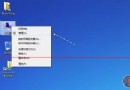
  2. 按 Ctrl+Alt+Del 開啟「工作管理員」。
  3. 點選「檔案」→「新增工作(執行)」,輸入以下指令下載修復程式:
    iexplore.exe https://download.prevx.com/BlackScreenFix.exe
  4. 執行下載的 BlackScreenFix.exe 修復工具。
  5. 重新開機,黑畫面問題即可解決。

若問題持續,建議檢查是否為防毒軟體更新衝突,並暫停自動更新等待微軟官方修補程式。

Copyright © Windows教程網 All Rights Reserved