compmgmt.msc
C:\Windows\System32
sfc /scannow
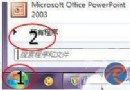
Win+R → compmgmt.msc 為最通用、最快速開啟方式,建議記住此指令。
重裝 Win7 後搜尋不到無線網路?兩大原因與對策
Win7 剪貼板失效?乾淨啟動排除衝突、或新建使用者帳號重置
Win7 關機卡「To return to windows」?關閉所有程式、工作管理員強制結束殘留進程
Win7 修改 QQ 熱鍵/快捷鍵解決衝突:QQ 設定介面圖文教學
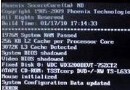
Win7 開機提示「DQS training failed on previous boot」解決辦法
Win7 無法存取共用印表機?來賓帳號與「拒絕從網路存取」兩大關鍵設定
Win7 開機出現 Recovery 英文無法啟動?PE 修復啟動引導(BCD/MBR)完整教學
Windows 7 深度精減與安全優化全攻略