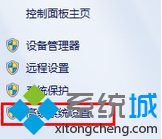
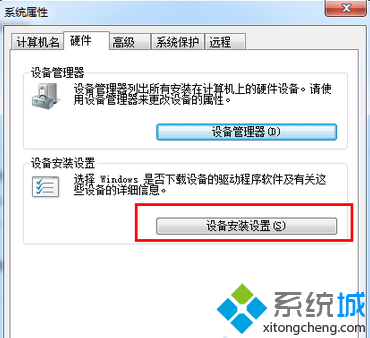
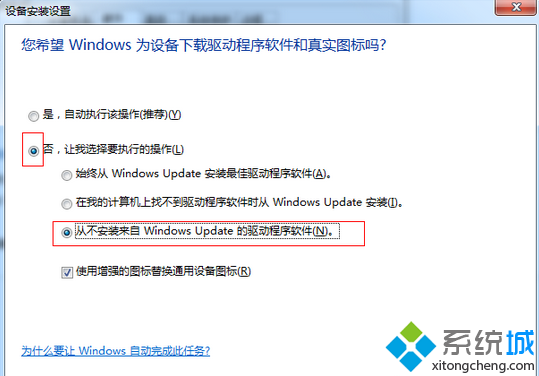
Win7 卸載顯卡/聲卡/網卡驅動後重開機,系統自動從 Windows Update 下載舊版驅動覆蓋,導致無法保持指定版本。透過「裝置安裝設定」禁止 Windows Update 提供驅動,即可徹底杜絕自動重裝。
設定後卸載驅動重開機將不再自動安裝,您可完全掌控驅動版本 (如保留特定遊戲相容驅動、避免新驅動導致藍畫面)。需更新時請手動至廠商官網下載安裝包執行。
Windows 7 服務管理優化:停用 SSDP Discovery 與 UPnP Device Host 降低 CPU 佔用
Win7 無法辨識 2TB 希捷行動硬碟:裝置管理員解除安裝驅動程式重新掃描即可修復
Win7 刪除使用者帳號完整步驟教學:含圖文操作指南
Windows 7/8 虛擬機安裝 Windows 8:VirtualBox 完整圖文教學
Win7 截圖下拉選單/右鍵選單:Ctrl + PrintScreen 凍結選單再截圖
Win7 AMD顯卡 (A卡) 遊戲無法全屏?註冊表修改 Scaling 值為 3 徹底解決
Windows 7 重灌系統完整圖文教學:從 BIOS 設定、分區規劃到驅動安裝全流程
Win7 無線熱點批次檔一鍵啟動:netsh 建立託管網路 + 自動啟動