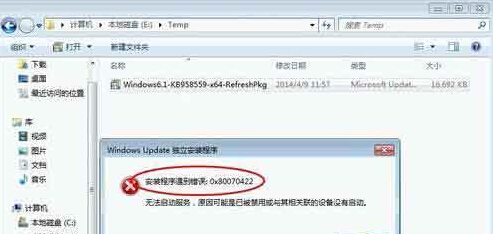
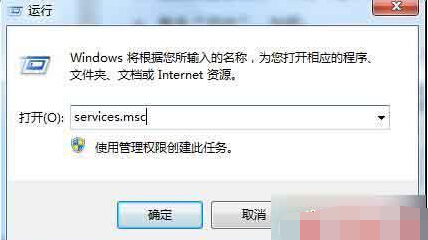
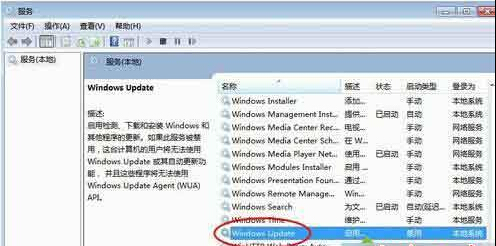
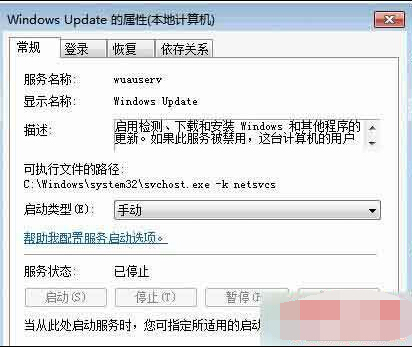
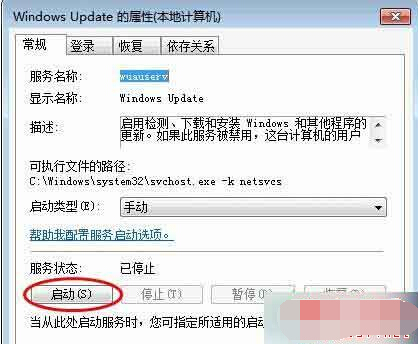
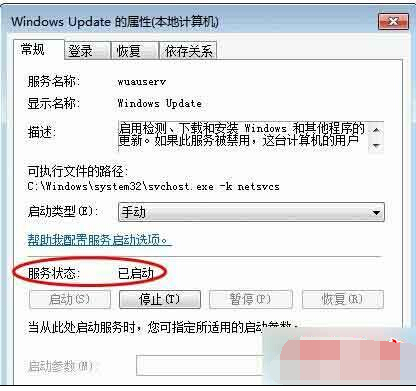
Win7 安裝軟體或更新時跳出錯誤代碼 0x80070422,主因是 Windows Update 服務 被停用或設為手動。啟用該服務即可恢復安裝功能。
0x80070422
services.msc
此錯誤常見於精簡版系統或經優化工具關閉服務後,啟用服務即可徹底解決。
Win7 系統使用內建「程式和功能」卸載軟體完整教學
Win7 Explorer.exe 損壞、桌面消失、工作列不見?重裝系統最快解決
Win7关闭Windows Problem Reporting自启动进程释放CPU资源
Win7 軟體與系統不相容怎麼辦?相容模式與更新版本雙管齊下
Win7 USB 隨身碟無法安全移除怎麼辦?四種解決卡住問題方案
Win7 攝影機黑畫面無法啟動?驅動更新法快速修復
遊戲效能提升指南:記憶體、顯示卡、SSD 三大升級優先序
Win7 修改回收站圖示後主題被還原?一招永久固定