Windows XP Windows 7 Windows 2003 Windows Vista Windows 綜合教學 Linux 系統教學
Windows 10 Windows 8 Windows 2008 Windows NT Windows Server 電腦軟體教學

重裝 Win7 後截圖工具提示「未在電腦上執行」修復教學

編輯:Win7 系統應用技巧

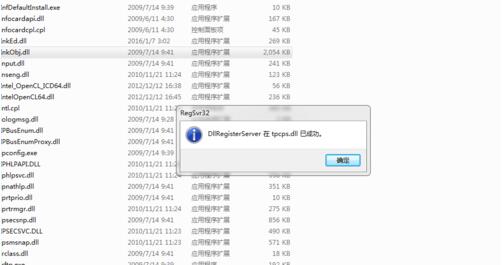
重裝 Win7 後點擊截圖工具跳出「截圖工具目前未在電腦上執行」,主因是系統檔 tpcps.dll 與 InkObj.dll 遺失或未註冊。複製檔案並註冊即可修復。

修復步驟

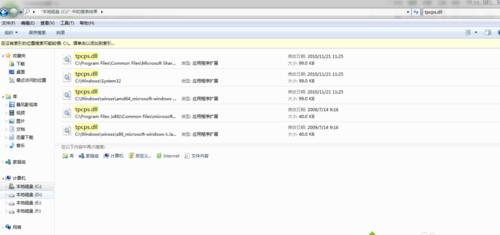
  1. 在 C 槽搜尋 tpcps.dll,找到檔案大小最大的那個,複製到 C:\Windows\System32。
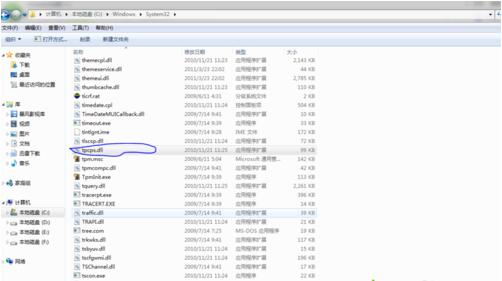
  2. 同樣搜尋 InkObj.dll,複製最大的檔案到 C:\Windows\System32。
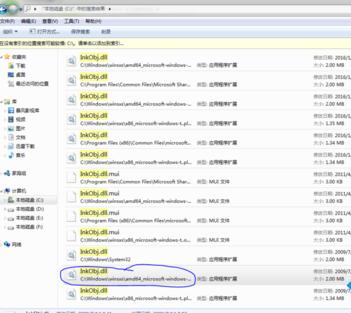
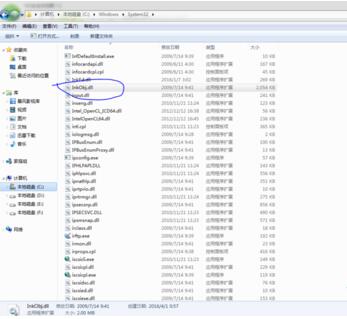
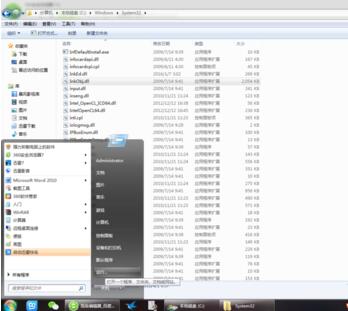
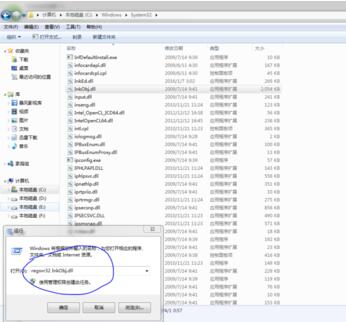
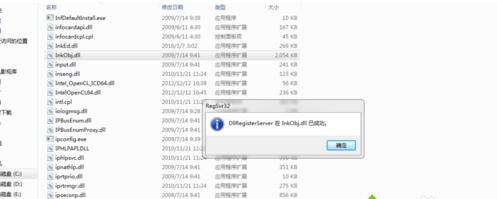
  3. 按 Win+R 開啟「執行」,輸入 regsvr32 InkObj.dll 按 Enter 確認。
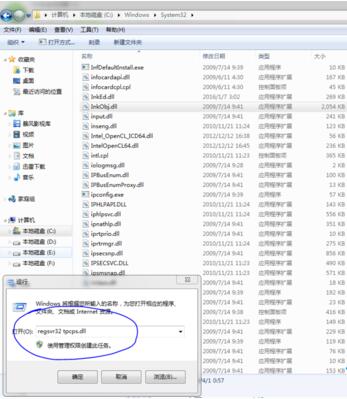
  4. 再輸入 regsvr32 tpcps.dll 按 Enter 確認。

完成註冊後,截圖工具即可正常啟動使用。

Copyright © Windows教程網 All Rights Reserved