外出無 Wi-Fi 時,手機開啟 USB 網路共享(Android)或個人熱點(iPhone),透過 USB 線連接筆電即可上網,比 Wi-Fi 熱點更省電、延遲更低。
Android 手機(USB 網路共享)
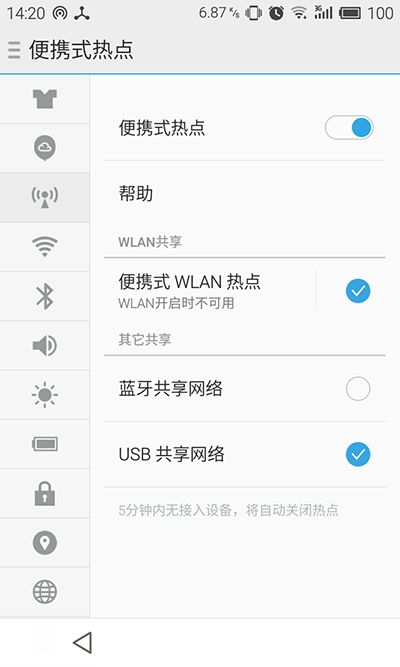
- 設定 →「網路和網際網路」→「網路共享與可攜式熱點」。
- 開啟「USB 網路共享」(需先連接 USB 線)。
- 通知列出現「USB 網路共享中」圖示,筆電自動取得 IP 上網。
iPhone(個人熱點 - USB)
- 設定 →「行動網路」→「個人熱點」。
- 開啟「允許其他加入」。
- 以 USB 線連接電腦,信任裝置配對後,電腦網路介面將出現「Apple Mobile Device Ethernet」並自動上網。
注意:需確認手機方案支援網路共享功能,且電腦已安裝對應驅動(iTunes 包含 Apple Mobile Device USB 驅動)。