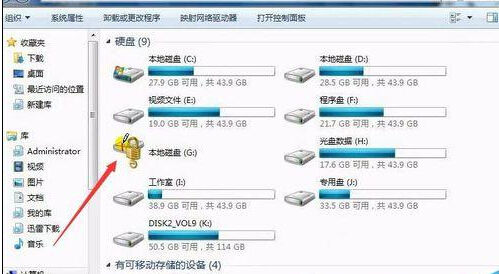
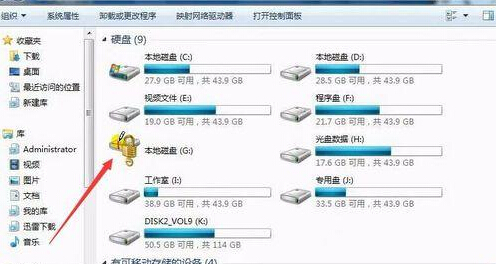
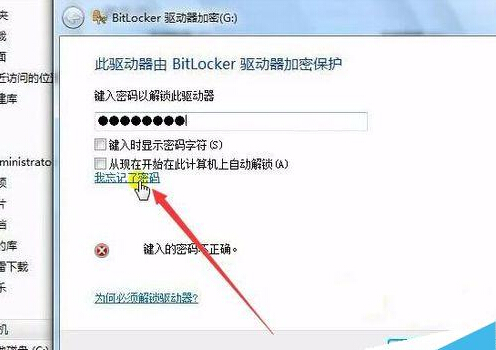
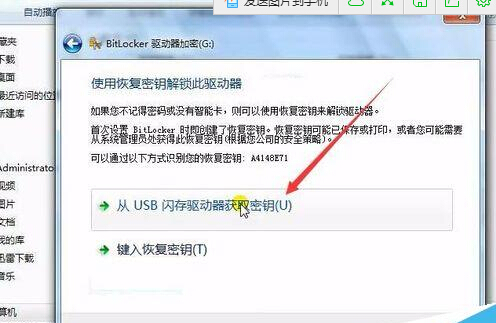
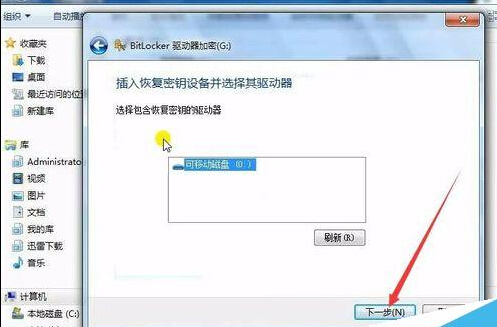
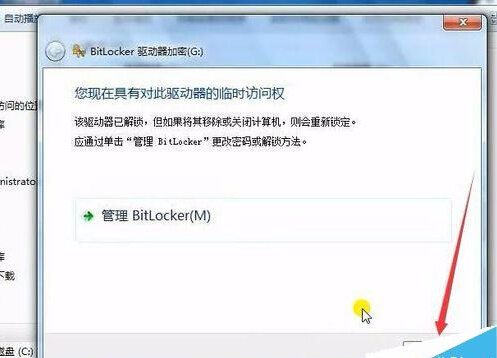
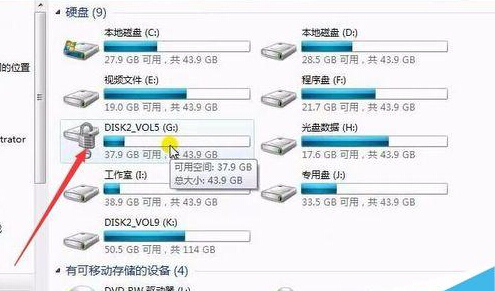
BitLocker 加密磁碟忘記密碼?若有備份 USB 復原金鑰,插入 USB → 雙擊磁碟 →「忘記密碼」→「從 USB 隨身碟取得金鑰」→ 按提示完成解鎖,資料完整恢復存取。
⚠️ **核心前提:加密時必須備份復原金鑰到 USB/檔案/列印。** 無金鑰又忘密碼 = 資料永久鎖死。建議金鑰三地備份 (USB+雲端硬碟+列印存放保險箱)。
Win7 自訂視窗文字背景顏色,打造專屬視覺風格
Win7 「Documents and Settings」資料夾被鎖無法開啟?權限編輯移除 Everyone 拒絕存取規則
詳解 Windows 7 開機啟動項五大藏身處:從資料夾到登錄檔徹底掌握
Win7 控制台找不到解除安裝項目?用程式自帶 Uninstall.exe 移除
Win7 內建鬧鐘功能設定教學:任務排程器建立定時播放音樂喚醒電腦
Win7 筆電雙顯卡切換獨顯完整教學:NVIDIA 控制面板與裝置管理員雙法
Win7 IE 右鍵選單變英文?安裝中文語言包恢復中文介面
Win7 桌面透明玻璃效果消失?確認顯卡驅動 + 控制台搜尋 aero 重新啟用