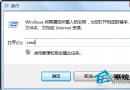
IE 升級 (如 IE8→IE9) 若安裝英文版,右鍵選單會變英文。下載對應版本中文語言包 (MUI) 安裝即可恢復中文右鍵選單。
升級 IE 時誤裝英文版本,導致 UI 語言資源為英文。
IE9-Windows7-LanguagePack-x86-cht.msu)。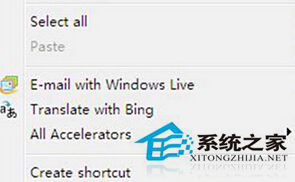
此法適用於 IE8 升 IE9 等版本升級導致的語言不符問題。
Win7 玩 CF 當機無回應?Ctrl+Shift+Esc 開啟任務管理員結束 crossfire.exe 進程強制關閉
Win7 批量刪除 C 槽 .log 日誌檔:搜尋 *.log → 全選刪除 → 清空資源回收筒
XP 系統屏幕變大像安全模式?調分辨率/重裝顯卡驅動/升級 Win7 解決
Win7 迅雷下載提示「臨時檔案或其所在磁碟不可寫」?四大排查:磁碟空間、FAT32 限制、區域語言、暫存清理
Win7 視窗智慧排列 (Aero Snap) 關閉教學:登錄表關閉自動最大化/靠邊功能
Win7 開機報錯「cpu variable mtrr configure failed」?兩大主因與解決方案