Windows XP Windows 7 Windows 2003 Windows Vista Windows 綜合教學 Linux 系統教學
Windows 10 Windows 8 Windows 2008 Windows NT Windows Server 電腦軟體教學

Win7 禁止瀏覽器自動下載檔案?群組原則啟用「限制檔案下載」徹底封鎖

編輯:Win7 系統應用技巧

防止惡意網頁/彈窗自動下載檔案?群組原則 →「電腦設定」→「系統管理範本」→「Windows 元件」→「Internet Explorer」→「安全性功能」→「限制檔案下載」→ **已啟用**,徹底封鎖 IE 自動下載行為。

設定步驟

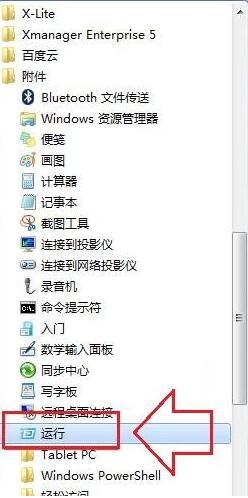
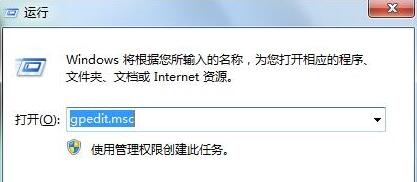
  1. Win+R → gpedit.msc → Enter。
  2. 依序展開:
    電腦設定 → 系統管理範本 → Windows 元件 → Internet Explorer → 安全性功能 → 限制檔案下載
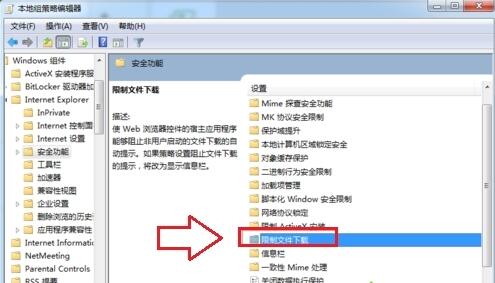
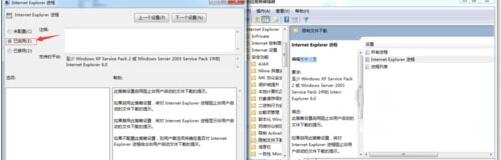
  3. 雙擊 → 選 **「已啟用」** → 確定/套用。

生效後 IE 將阻擋所有非使用者主動點選的下載行為,**僅限 IE 生效**,Chrome/Edge 需各自設定。適合公用/兒童/高安全電腦環境。

Copyright © Windows教程網 All Rights Reserved