Windows XP Windows 7 Windows 2003 Windows Vista Windows 綜合教學 Linux 系統教學
Windows 10 Windows 8 Windows 2008 Windows NT Windows Server 電腦軟體教學

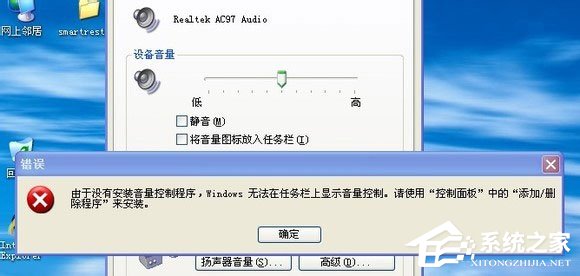
Win7 無喇叭圖示提示「未安裝音量控制程式」怎麼解決?四大修復完整版

編輯:Win7 系統應用技巧

Win7 工作列無音量圖示,控制台勾選「將音量圖示放入工作列」報錯。四大修復:補 sndvol32.exe、下載修復小喇叭工具、停用 SSDP/UPnP 服務、登錄重建 Systray 啟動項。本文圖文示範完整流程。

修復方案

  1. 補回 sndvol32.exe:C:\Windows\System32\sndvol32.exe 從正常電腦/系統光碟 sndvol32.ex_ 解壓取得。
  2. 下載「修復小喇叭工具」:免安裝雙擊自動修復。
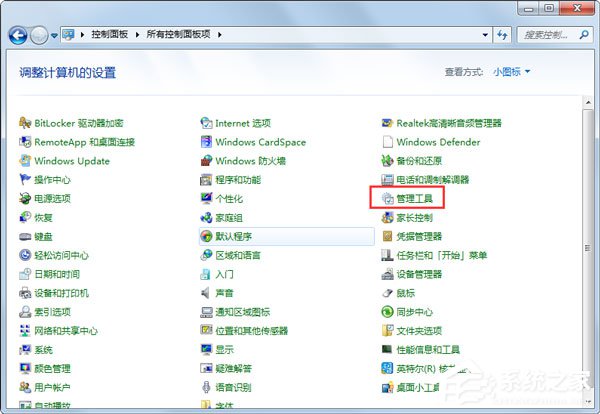
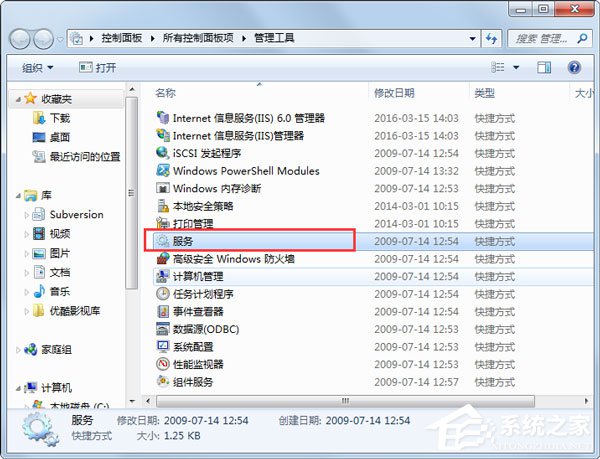
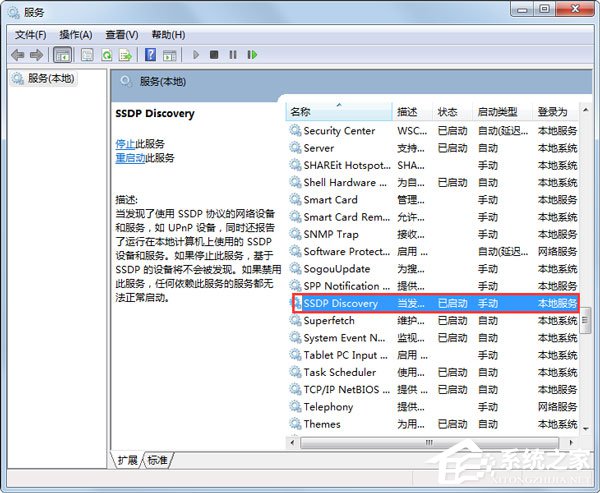
  3. 停用 SSDP Discovery Service / Universal Plug and Play Device Host:services.msc → 兩服務啟動類型改「已停用」→ 重開機。
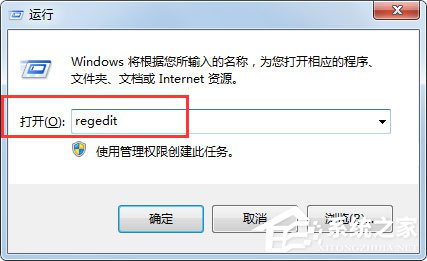
  4. 登錄重建 Systray:Win+R → regedit → HKEY_LOCAL_MACHINE\SOFTWARE\Microsoft\Windows\CurrentVersion\Run → 新字串 Systray = c:\windows\system32\systray.exe。
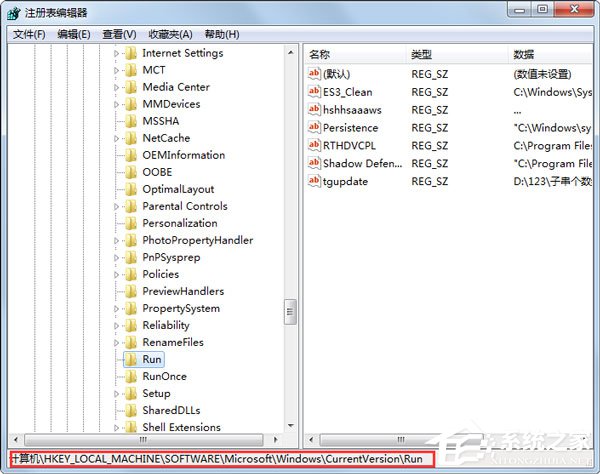
驗證

重開機後工作列右側出現音量圖示,點擊可正常調節音量。

Copyright © Windows教程網 All Rights Reserved