Windows XP Windows 7 Windows 2003 Windows Vista Windows 綜合教學 Linux 系統教學
Windows 10 Windows 8 Windows 2008 Windows NT Windows Server 電腦軟體教學

Win7 開機卡在「Windows 啟動管理員」?系統屬性 → 進階 → 啟動與修復 → 取消顯示時間

編輯:Win7 系統應用技巧

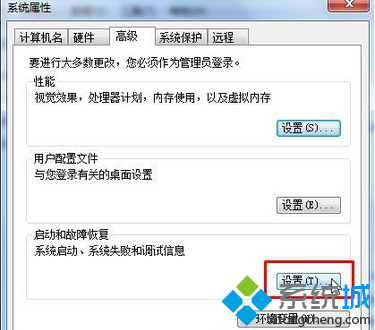
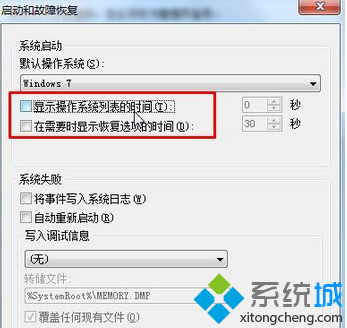
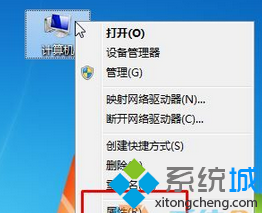
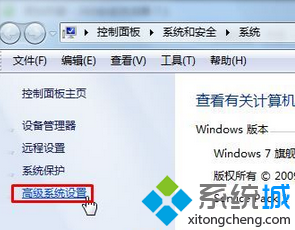
開機時停留在「Windows 啟動管理員」選單(單系統也顯示),等待逾時才進桌面。解法:右鍵「電腦」→「內容」→「進階系統設定」→「進階」→「啟動和故障修復」→「設定」→ 取消勾選「顯示作業系統清單的時間」與「顯示修復選項的時間」→ 確定套用。本文四步驟圖文教學。
操作步驟

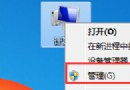
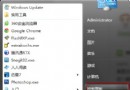
  1. 右鍵「電腦」→「內容」。
  2. 左側「進階系統設定」。
  3. 「進階」標籤 →「啟動和故障修復」區「設定」。
  4. 取消勾選兩項「顯示...時間」→ 確定 → 套用。

原理

單一作業系統環境下,啟動管理員選單無實際選擇意義,僅增加等待時間。關閉顯示時間後,開機直接載入 Windows,縮短 5-30 秒。

同場加映:BCDEdit 指令法

管理員 CMD 執行:
bcdedit /set {bootmgr} displayorder {current}
bcdedit /set {bootmgr} timeout 0

Copyright © Windows教程網 All Rights Reserved