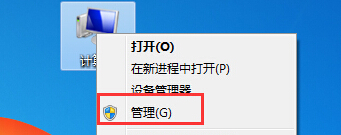
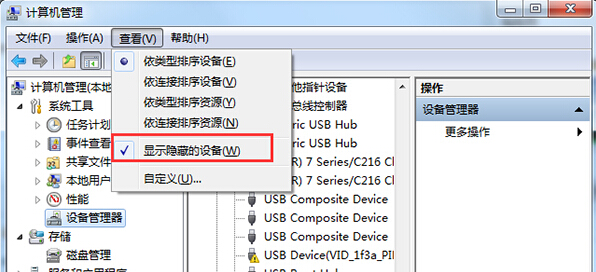
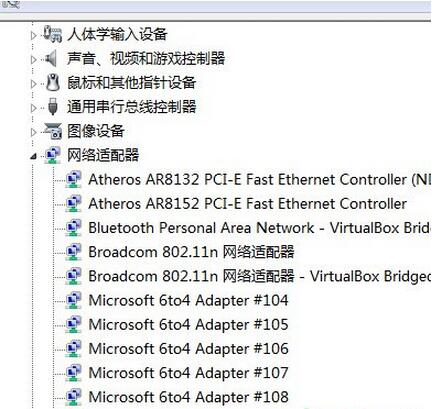
錯誤 0x800704CF 常因網路介面卡列表中存在大量無效的「Microsoft 6to4 Adapter」裝置導致網路協定堆疊異常。清除隱藏裝置即可修復。
成因:IPv6 過渡技術 6to4 在特定網路環境下會重複建立虛擬介面卡,堆疊過多導致網路服務錯誤。刪除後系統會按需重建正常介面卡。
懂電腦的大神幫忙配機?預算、用途、保留件不說,神仙也難配。附 3000/5000/8000 三檔參考單
Win7 放大鏡快捷鍵速查:Win+加號開啟、三模式切換、倍率自由調
Win7 螢幕解析度怎麼調?設定最佳解析度與解決閃爍問題
Win7 系統出現錯誤代碼 0x80004005?註冊三個核心 DLL 即可修復
Win7 開機錯誤 0xC000000F「啟動失敗」?Windows 7 安裝光碟重建 BCD 完整修復教學
電源故障硬扛不換?小心燒毀全機硬體,後果你負擔不起!
老電腦換顯卡值得嗎?CPU/記憶體/電源/主板全是短板,建議整機更新
電腦不動滑鼠也螢幕不關機、不睡眠?電源選項「從不」設定圖解