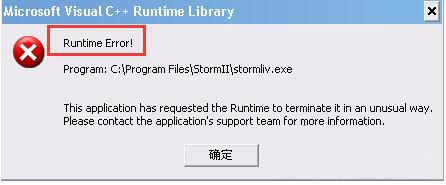
Runtime Error 為程式執行時發生的例外狀況,Win7 下常見原因是登錄啟動項殘留無效的 runtime 相關路徑。清理該登錄值即可解決。
操作步驟
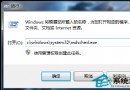
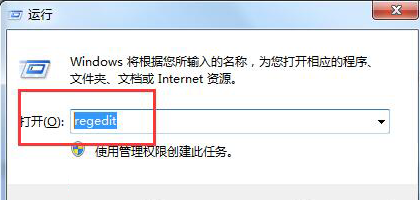
- Win + R →
regedit → 確定。
- 展開路徑:
HKEY_LOCAL_MACHINE\SOFTWARE\Microsoft\Windows\CurrentVersion\Run
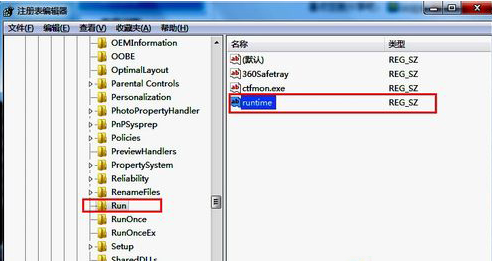
- 右側清單尋找名稱包含
runtime 的項目 → 右鍵刪除 → 確定。
其他常見 Runtime Error 成因與對策
- Visual C++ Redistributable 損毀/版本衝突:控制台 → 程式與功能 → 移除所有 Microsoft Visual C++ 版本 → 官網下載最新 2015-2022 版本安裝(含 x86/x64)。
- .NET Framework 損毀:執行
sfc /scannow 修復系統檔,或重新安裝 .NET Framework 3.5/4.8。
- 軟體本身相容性問題:右鍵執行檔 → 內容 → 相容性 → 勾選「以相容模式執行」選 Windows XP SP3 / Windows 7 → 勾選「以系統管理員身分執行」。
- DEP (資料執行防護) 阻擋:控制台 → 系統 → 進階系統設定 → 效能設定 → 資料執行防護 → 將該程式加入例外清單。