Windows XP Windows 7 Windows 2003 Windows Vista Windows 綜合教學 Linux 系統教學
Windows 10 Windows 8 Windows 2008 Windows NT Windows Server 電腦軟體教學

Win7 右鍵桌面圖示沒有「開啟」選項?修復 .lnk 捷徑關聯一行指令搞定

編輯:Win7 系統應用技巧

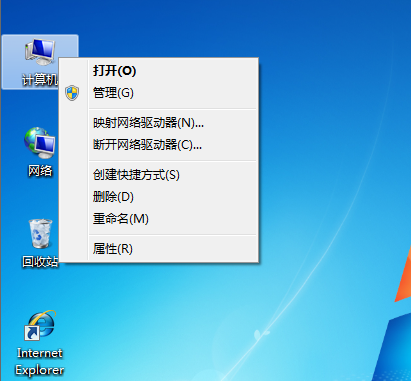
Win7 右鍵點擊桌面捷徑,功能表中消失「開啟」選項,甚至雙擊也無反應。這是 .lnk(捷徑)檔案關聯被錯誤修改(常見於優化軟體、病毒)。以管理員身分執行 CMD 輸入 assoc .lnk=lnkfile 即可瞬間修復。

修復步驟

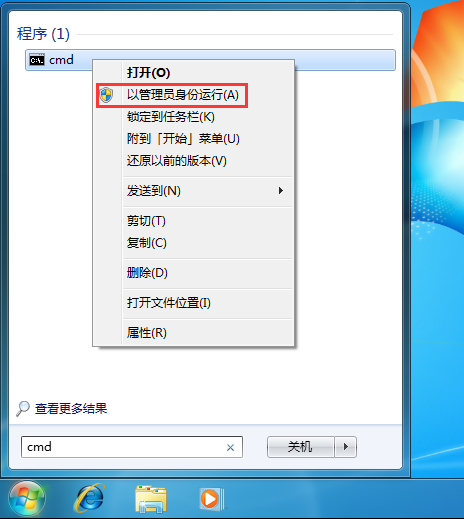
  1. 「開始」→ 搜尋框輸入 CMD → 右鍵搜尋結果 → 「以系統管理員身分執行」。
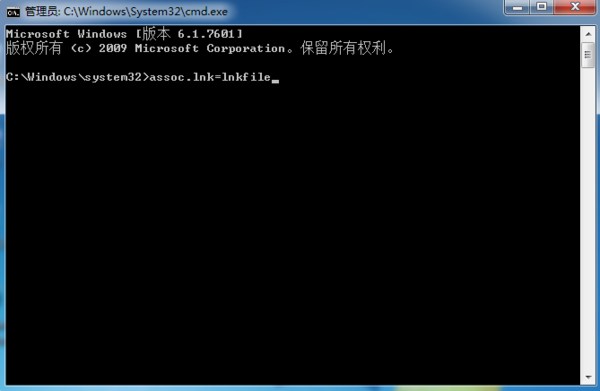
  2. 在命令提示字元輸入:
    assoc .lnk=lnkfile
    按 Enter。
  3. 無需重開機,立即測試右鍵捷徑,「開啟」選項恢復正常。

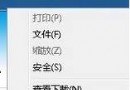
右鍵缺少開啟選項

以管理員身分開啟 CMD

輸入修復指令

延伸:其他常見關聯修復指令

  • assoc .exe=exefile — 修復 .exe 執行檔關聯
  • assoc .bat=batfile — 修復 .bat 批次檔關聯
  • assoc .reg=regfile — 修復 .reg 登錄檔關聯

若大量關聯錯誤,建議使用「檔案類型關聯修復工具」或系統還原。

Copyright © Windows教程網 All Rights Reserved