在 Windows 7 執行網頁腳本、VBScript、JScript 或呼叫 COM 元件時,若出現 「ActiveX 元件無法建立物件」 (Error 429),通常是因為系統核心 DLL (如 scrrun.dll, jscript.dll, vbscript.dll 等) 註冊失效或損毀。以下提供兩種修復方案。
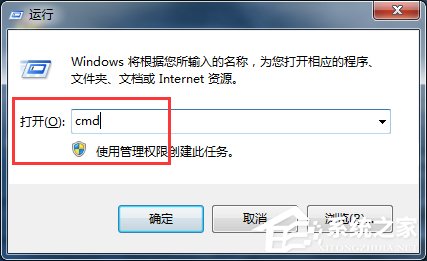
regsvr32 "C:\Windows\System32\scrrun.dll"%windir%\SysWOW64\regsvr32 "C:\Windows\SysWOW64\scrrun.dll"@echo off
echo 正在修復系統核心元件,請稍候...
regsvr32 /s comcat.dll
regsvr32 /s asctrls.ocx
regsvr32 /s oleaut32.dll
regsvr32 /s shdocvw.dll /i
regsvr32 /s shdocvw.dll
regsvr32 /s browseui.dll
regsvr32 /s browseui.dll /i
regsvr32 /s msrating.dll
regsvr32 /s mlang.dll
regsvr32 /s hlink.dll
regsvr32 /s mshtml.dll
regsvr32 /s mshtmled.dll
regsvr32 /s urlmon.dll
regsvr32 /s plugin.ocx
regsvr32 /s sendmail.dll
regsvr32 /s mshtml.dll /i
regsvr32 /s scrobj.dll
regsvr32 /s corpol.dll
regsvr32 /s jscript.dll
regsvr32 /s msxml.dll
regsvr32 /s imgutil.dll
regsvr32 /s cryptext.dll
regsvr32 /s inseng.dll
regsvr32 /s iesetup.dll /i
regsvr32 /s cryptdlg.dll
regsvr32 /s actxprxy.dll
regsvr32 /s dispex.dll
regsvr32 /s occache.dll
regsvr32 /s iepeers.dll
regsvr32 /s urlmon.dll /i
regsvr32 /s cdfview.dll
regsvr32 /s webcheck.dll
regsvr32 /s mobsync.dll
regsvr32 /s pngfilt.dll
regsvr32 /s licmgr10.dll
regsvr32 /s hhctrl.ocx
regsvr32 /s inetcfg.dll
regsvr32 /s trialoc.dll
regsvr32 /s tdc.ocx
regsvr32 /s MSR2C.DLL
regsvr32 /s msident.dll
regsvr32 /s msieftp.dll
regsvr32 /s xmsconf.ocx
regsvr32 /s ils.dll
regsvr32 /s msoeacct.dll
regsvr32 /s wab32.dll
regsvr32 /s wabimp.dll
regsvr32 /s wabfind.dll
regsvr32 /s oemiglib.dll
regsvr32 /s directdb.dll
regsvr32 /s inetcomm.dll
regsvr32 /s msoe.dll
regsvr32 /s oeimport.dll
regsvr32 /s msdxm.ocx
regsvr32 /s dxmasf.dll
regsvr32 /s laprxy.dll
regsvr32 /s l3codecx.ax
regsvr32 /s acelpdec.ax
regsvr32 /s mpg4ds32.ax
regsvr32 /s danim.dll
regsvr32 /s Daxctle.ocx
regsvr32 /s lmrt.dll
regsvr32 /s datime.dll
regsvr32 /s dxtrans.dll
regsvr32 /s dxtmsft.dll
regsvr32 /s wshom.ocx
regsvr32 /s wshext.dll
regsvr32 /s vbscript.dll
regsvr32 /s scrrun.dll
regsvr32 /s msnsspc.dll /SspcCreateSspiReg
regsvr32 /s msapsspc.dll /SspcCreateSspiReg
echo.
echo 修復完成!按任意鍵結束...
pause >nul
FixActiveX.bat (編碼選 ANSI 或 UTF-8 with BOM)。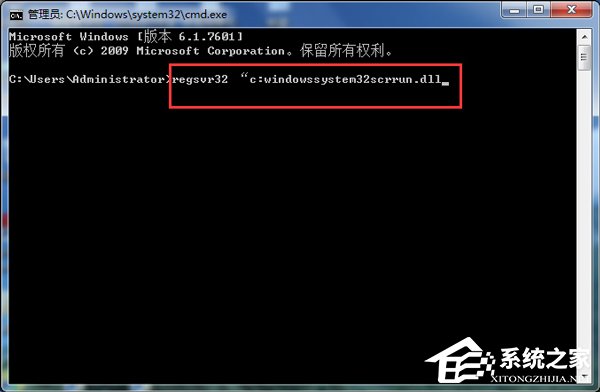
HKEY_CLASSES_ROOT\CLSID\{...} 相關機碼是否存在、權限是否正確。sfc /scannow 修復系統檔案。