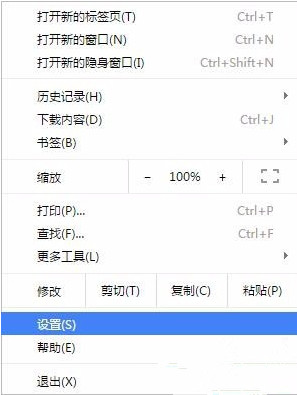
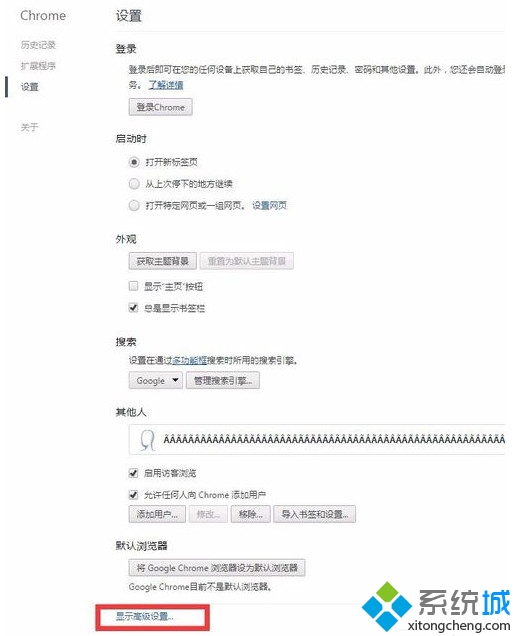
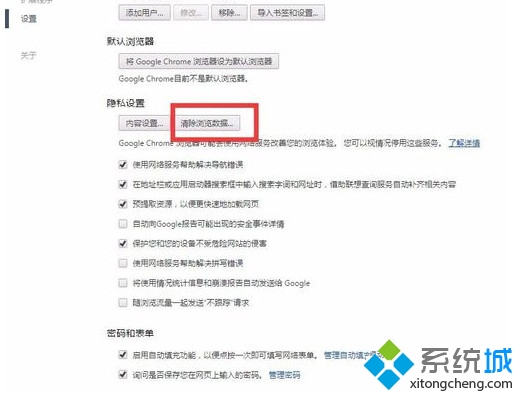
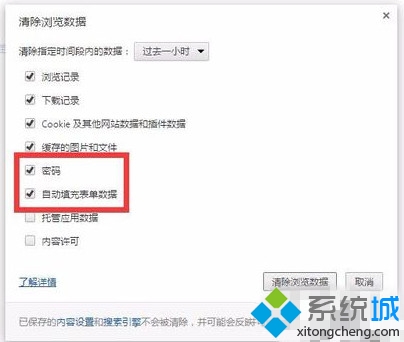
按 Ctrl + Shift + N 開啟「無痕式視窗」,關閉視窗自動清除該階段所有瀏覽紀錄、Cookie、密碼。
Win7 USB 隨身碟無法安全移除五大解法:清除剪貼簿、結束 rundll32/explorer、重開機、關閉預覽
Win7 旗艦版報錯 0x000006d18?六步驟重置 Windows Update 元件修復 .NET 安裝
被譽為「硬碟殺手」的 Windows 7 服務停用指南:Windows Defender、Volume Shadow Copy、Superfetch、Windows Search、磁碟碎片整理排程
Win7 封鎖 QQ 右下角彈窗廣告:360 彈窗攔截器設定教學
Windows 7 藍屏錯誤代碼 0x0000007F 原因分析:主板相容、軟體衝突、記憶體故障
Win7 Aero Peek 預覽桌面功能關閉怎麼開啟?三種啟用方法完整教學
Win7开启Aero Peek桌面预览三法:任务栏属性/系统性能设置/服务启用Desktop Window Manager