Windows XP Windows 7 Windows 2003 Windows Vista Windows 綜合教學 Linux 系統教學
Windows 10 Windows 8 Windows 2008 Windows NT Windows Server 電腦軟體教學

Win7 點擊連結自動彈出 IE?預設程式設定指定 Chrome/Edge 等為預設瀏覽器

編輯:Win7 系統應用技巧

Windows 7 中點擊郵件、文件、第三方軟體內的超連結,總是強制開啟 IE 而非慣用的 Chrome/Edge。透過「預設程式」將慣用瀏覽器設為預設,即可讓所有連結在正確瀏覽器開啟。
設定步驟

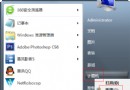
  1. 「開始」→「預設程式」 (或控制台 → 程式 → 預設程式)。
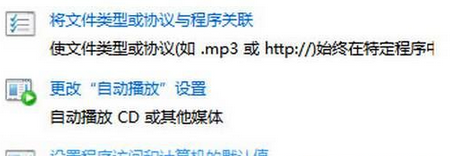
  2. 點選「設定程式存取與電腦預設值」。
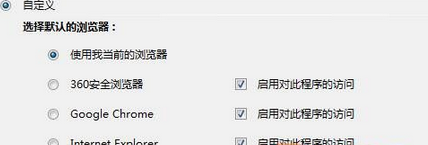
  3. 選「自訂」→ 展開「選擇預設的網頁瀏覽器」→ 選擇慣用瀏覽器 (Chrome、Firefox、Edge 等) → 確定。

瀏覽器內部設定 (雙重保險)

  • Chrome:設定 → 預設瀏覽器 → 「設為預設」。
  • Edge:設定 → 預設瀏覽器 → 「設為預設瀏覽器」。
  • Firefox:選項 → 一般 → 「設為預設瀏覽器」。

註冊表強制修復 (若以上無效)

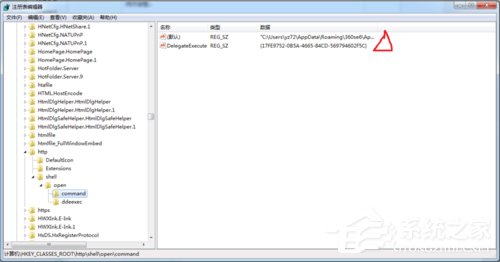
  1. Win+R → regedit → HKEY_CLASSES_ROOT\http\shell\open\command → 預設值改為瀏覽器完整路徑 (如 "C:\Program Files\Google\Chrome\Application\chrome.exe" -- "%1")。
  2. HKEY_CLASSES_ROOT\https\shell\open\command 同理修改。
  3. HKEY_CLASSES_ROOT\http\shell\open\ddeexec\Application → 預設值設為瀏覽器 DDE 名稱 (Chrome 為 ChromeHTML)。

Copyright © Windows教程網 All Rights Reserved