Windows 7 預設安裝許多可能用不到的系統元件(如遊戲、媒體功能、XPS 服務、遠端差壓縮等),關閉這些功能可釋放資源、提升運行速度:
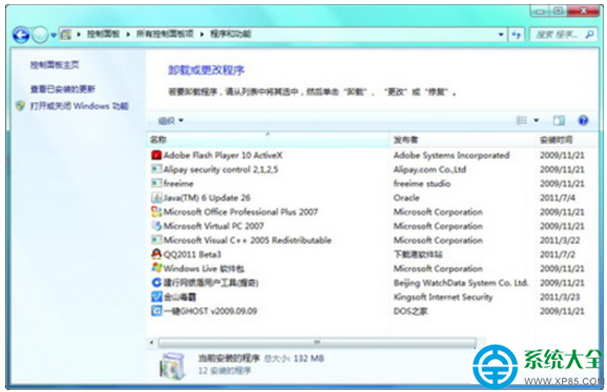
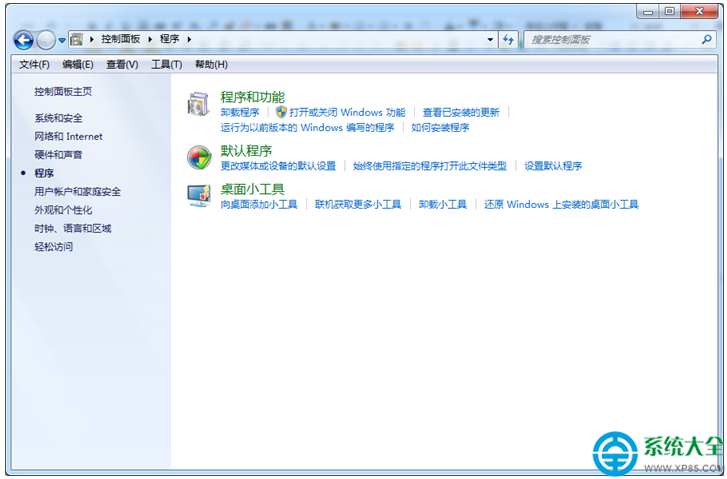
- 開啟「控制台」→「程式與功能」。
- 點擊左側「開啟或關閉 Windows 功能」。
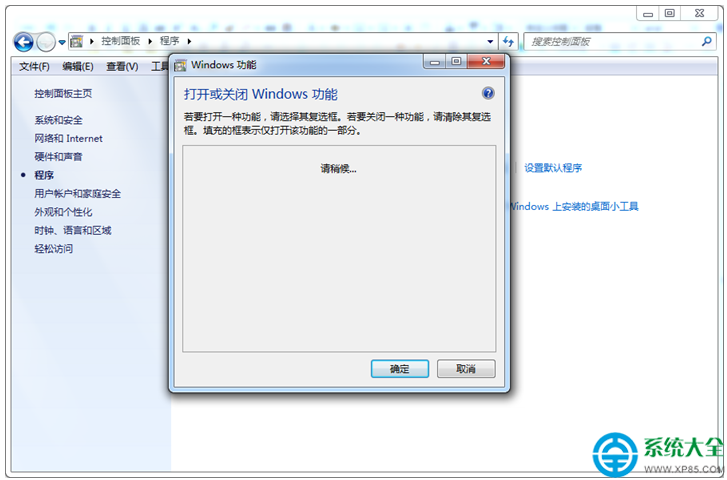
- 在「Windows 功能」視窗中,取消勾選不需要的元件,例如:
- 遊戲
- 媒體功能(若不使用 Windows Media Center/Player)
- XPS 服務
- 遠端差壓縮
- Windows Gadget Platform(桌面小工具,已停用建議關閉)
- 列印與文件服務 中的「網際網路列印用戶端」、「Windows 列印服務」(無印表機可關閉)
- 點擊「確定」,系統套用變更並提示重新開機,重啟後生效。
重要提醒:請勿取消勾選「Windows Search」,否則將失去 Win7 強大的檔案內容搜尋功能。關閉元件前請確認確實不需使用相關功能,避免影響正常操作。