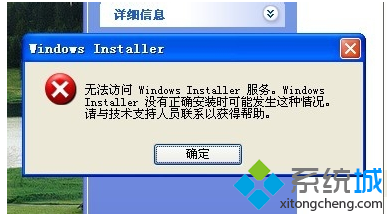
Windows 7 安裝軟體、更新或功能時出現錯誤代碼 0x80070422,核心原因是 Windows Update 服務 被停用或設為手動,導致安裝程式無法呼叫系統更新元件完成安裝。啟用該服務即可解決。
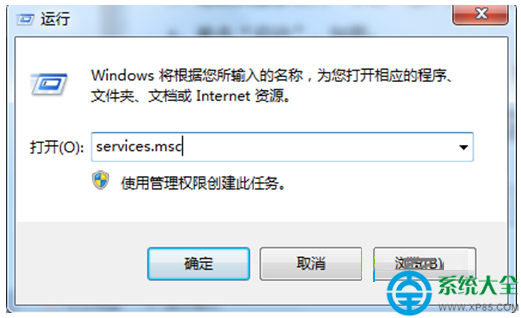
步驟 1:開啟服務管理員
Win+R → services.msc → Enter。
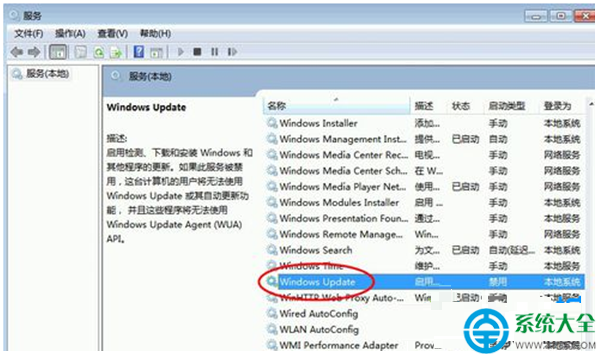
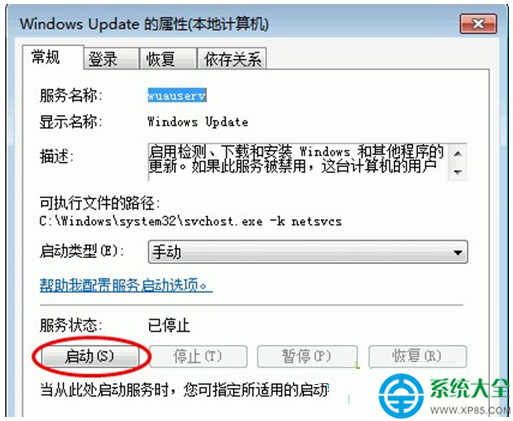
步驟 2:檢查並啟用 Windows Update 服務
找到 Windows Update,雙擊開啟:
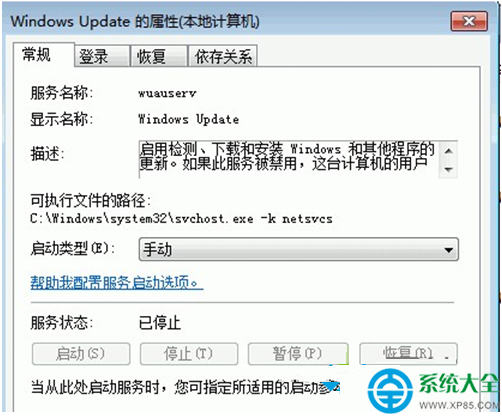
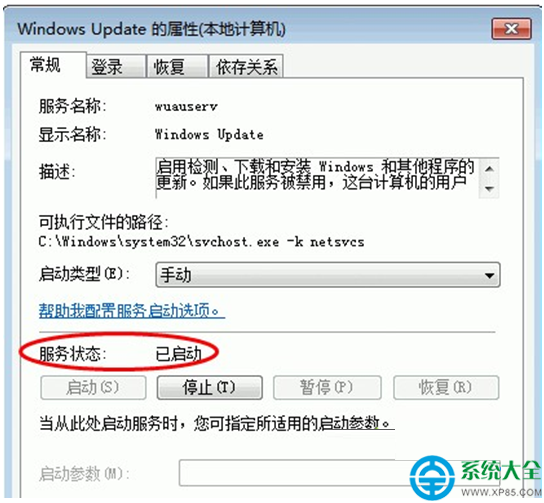
步驟 3:驗證修復
服務狀態顯示「已啟動」後,重新執行原本失敗的安裝程式或 Windows Update,應可正常進行。
同類服務檢查:建議同步確認以下服務亦為「執行中」:
• Background Intelligent Transfer Service (BITS)
• Cryptographic Services
• Software Protection(授權驗證相關)
原因:優化工具、安全軟體、或手動誤操作將 Windows Update 設為停用,導致依賴更新元件的安裝程式失敗。
Win7 開機報「Profile 服務未能登入,無法建立更多執行緒」?安全模式啟用 User Profile Service 或建立新帳號
Win7 安裝常見問題與解決方案:硬體相容、安裝媒體、資源不足三大類
Win7 右鍵選單沒有「新建」選項?修復註冊表 New 鍵值 {D969A300...} 立即恢復
Win7 瀏覽器打不開網頁完整排查:網路連線、防火牆、安全軟體三大面向教學
Vista 磁碟分區調整:Acronis Partition Expert 完整操作教學
VMware 虛擬機網卡 MAC 地址衝突?修改 .vmx 設定檔完美解決