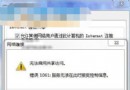
開機卡在 Profile 服務錯誤,通常是 User Profile Service 服務未啟動或使用者設定檔損毀。兩種修復路徑:
services.msc → 找到 User Profile Service → 雙擊 → 「啟動類型」改 自動 → 確定。C:\Users\舊帳號 複製遷移。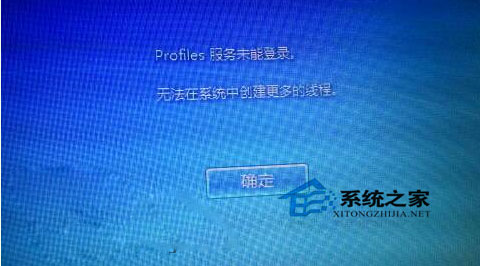
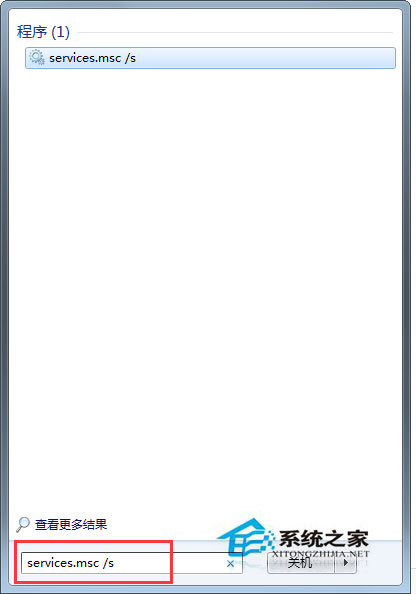
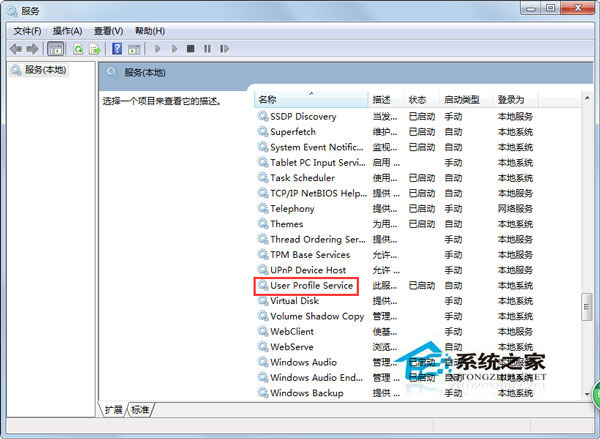
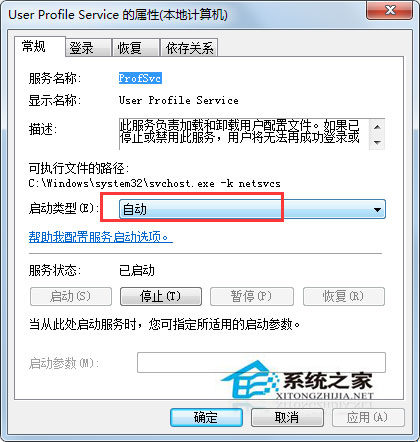
優先嘗試方法一,若服務已為自動仍報錯,改用方法二建立新帳號通常能解決。
Win7屏幕键盘怎么打开?开始菜单搜索osk或轻松访问文件夹两种方法
Win7 無線滑鼠沒反應?七大故障排查:干擾、電池、接收器、距離、驅動、品質、光學取樣
Win7 如何將常用資料夾加入「收藏夾」快速存取?建立捷徑置入 Links 資料夾
Win7桌面反覆出現 minidump.dmp 檔案?罪魁禍首是迅雷,三步驟徹底解決
Win7 結束程序提示「工作管理員已被系統管理員停用」?群組原則恢復工作管理員存取權
Win7 任務列顯示戀人生日?利用時間格式自訂 AM/PM 文字實現專屬提醒
Win7 修改 Hosts 檔案訪問 Google 完整教學:編輯 C:\Windows\System32\drivers\etc\hosts、新增 IP 對應、Ping 測速選最快 IP