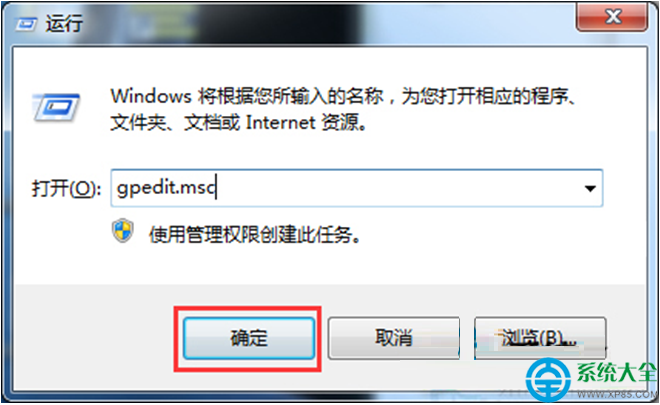
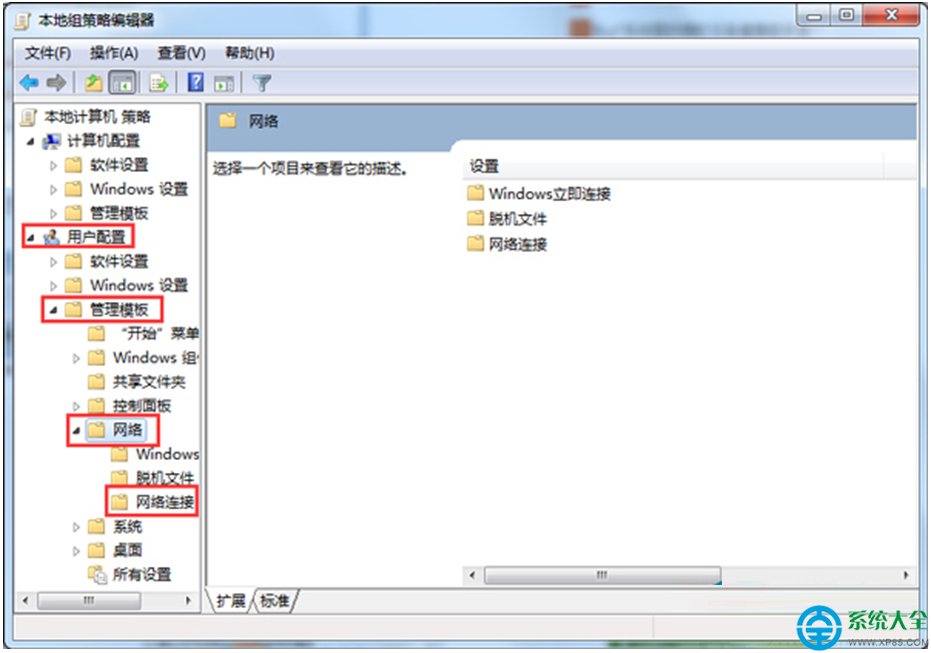
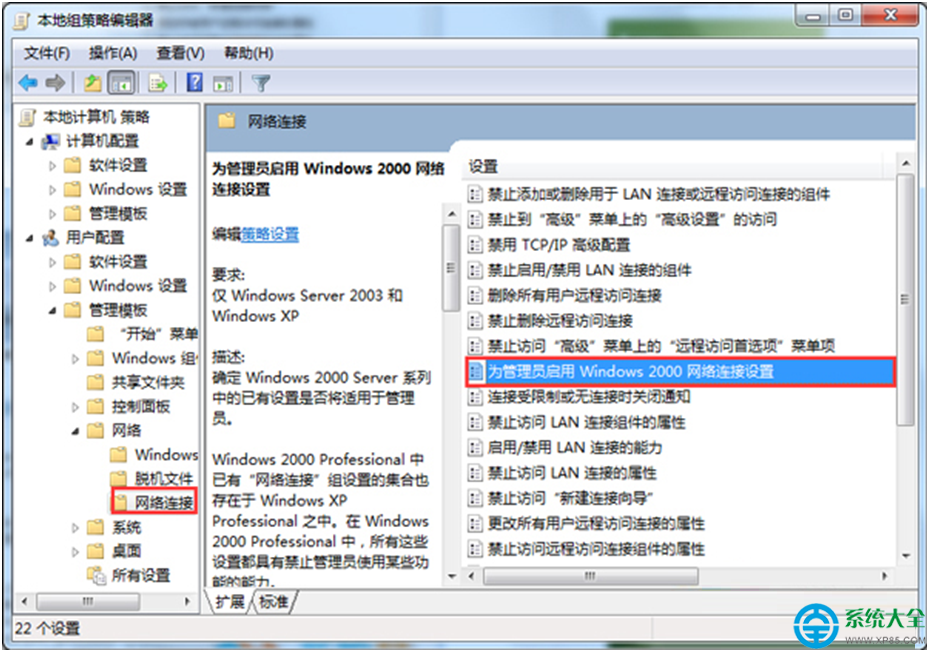
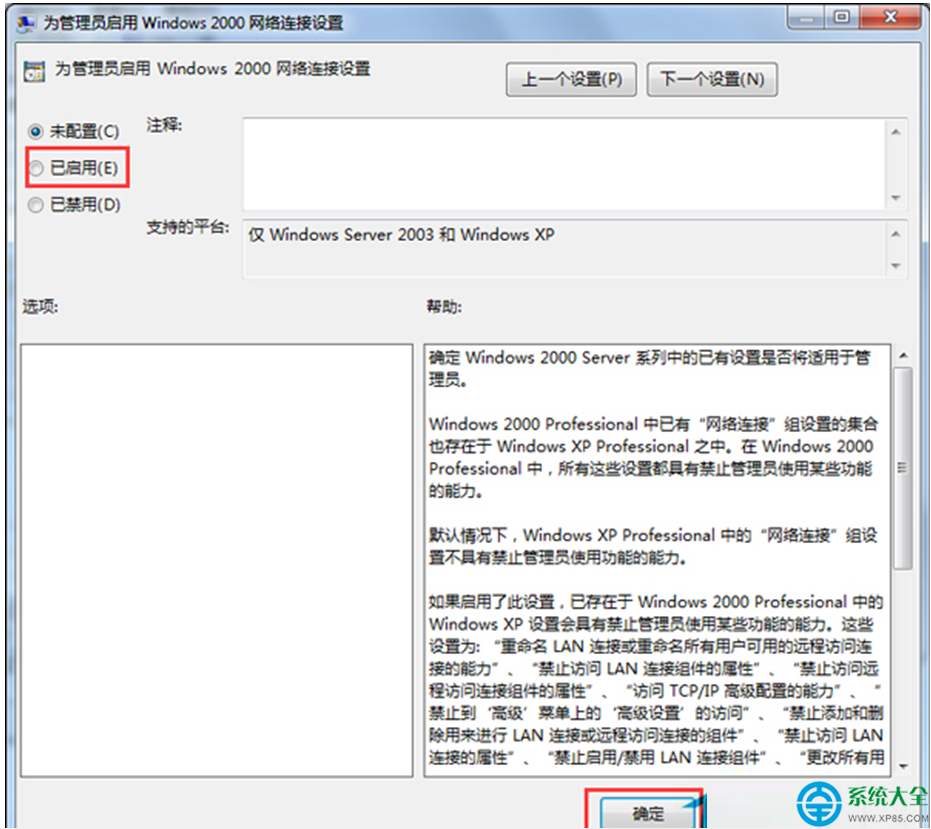
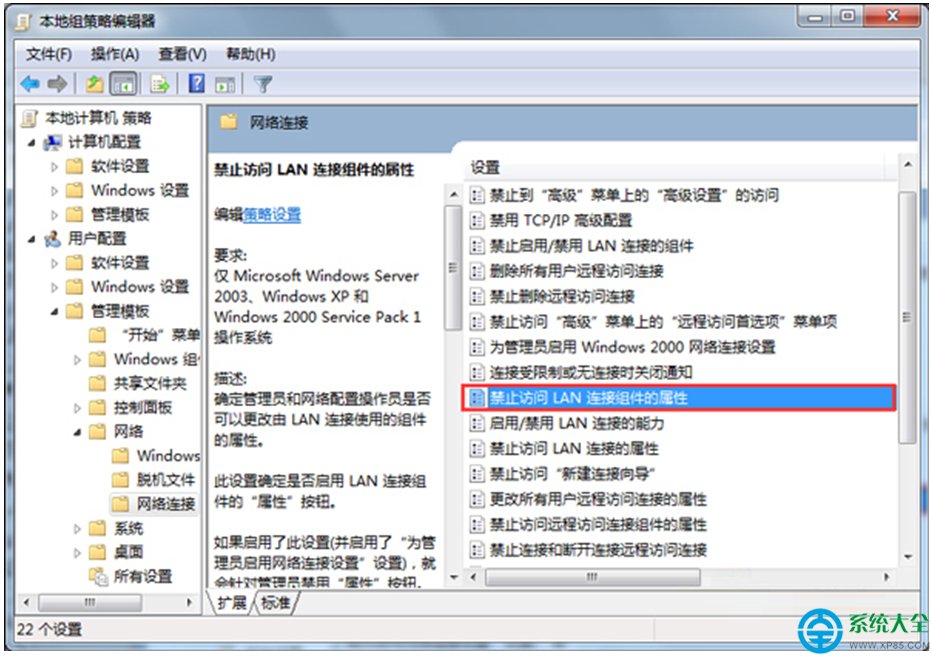
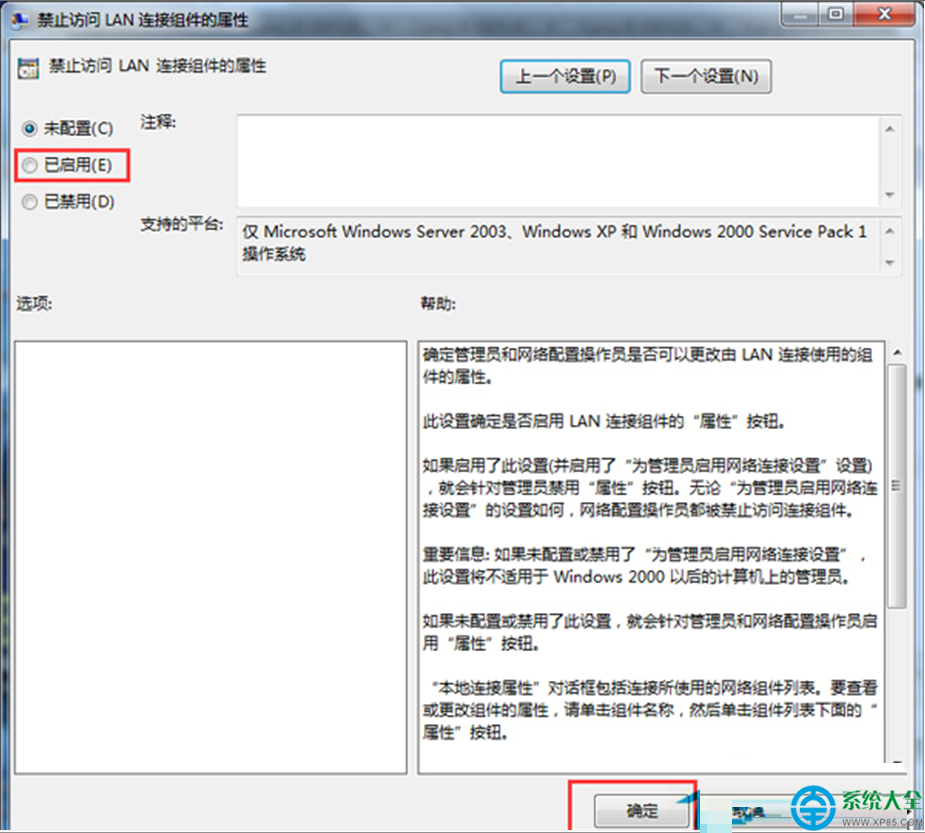
Windows 7 企業環境需防止一般使用者隨意更改 IP 位址導致網路衝突。透過群組原則啟用兩項設定即可鎖定網路連線屬性。
gpedit.msc
gpupdate /force
適用版本: 專業版、企業版、旗艦版(家用版無 gpedit.msc)。
筆電能玩《守望先鋒 2》/《GTA 5》嗎?規格需求與實測建議
Win7 開機自動撥號上網:任務排程器建立登入觸發 rasphone 指令完整教學
Windows 7 使用久變慢?四大清理方案徹底加速
Win7 註冊表優化 TCP/IP 參數提升網速實測
Win7 關機總提示「程式仍在執行」?一招修改註冊表徹底解決
Win7 螢幕亮度如何調節?控制台與行動中心雙重管道
Windows 7 修改 PowerPoint 復原(復原)次數:自訂最大復原步驟數
Win7 如何清除軟體殘留的服務項目?登錄刪除 Services 鍵值