Win7 有「聯合搜尋」可在桌面搜網路,Vista 也能透過群組原則讓開始選單搜尋直達 Google 等引擎:
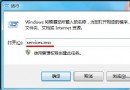
gpedit.msc 開啟群組原則編輯器。https://en.wikipedia.org/wiki/%whttps://www.google.com/search?q=%whttps://search.yahoo.com/search?p=%w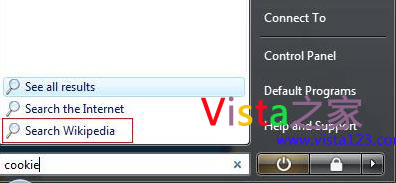
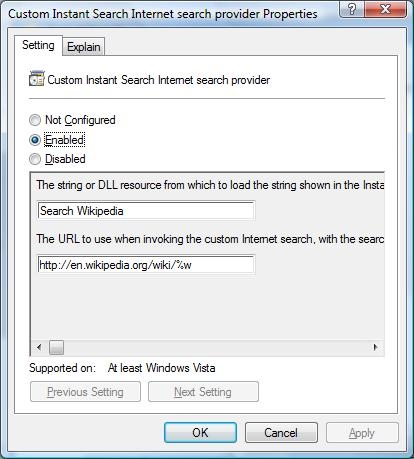
開始選單搜尋框輸入關鍵字按 Enter,即直接跳轉瀏覽器顯示結果。
5 年老電腦玩 LOL 只有 10 幀?配置已淘汰,換新機/二手機/雲遊戲三條路
Win7 如何更換開機聲音?自訂 .wav 登入音效完整教程
Win7「程式和功能」空白不顯示程式?群組原則啟用兩項設定恢復
Win7 無線滑鼠沒反應?七大故障排查:干擾、電池、接收器、距離、驅動、品質、光學取樣
Vista 開機加速全攻略 (一):深度解析開機原理,對症下藥不盲目優化
Win7 工作列顯示異常 (位置偏移、圖示消失) 的兩種修復方案
Win7 用 360 安全衛士關閉開機啟動項加速開機:掃描優化一鍵完成
Win7 升級 Win10 後 IE 瀏覽器無法播放影片?啟用 Flash Player 與還原系統重裝 Flash 解決相容性問題