原文標題為「Vista 系統分區出錯解決方法」,但內容實際包含兩部分:前段討論 Vista 安裝時出現 3 主分區 + 1 邏輯分區的現象,後段卻大量貼上 Windows Update 元件重新註冊、重命名 SoftwareDistribution/Catroot2 資料夾等修復更新失效的步驟,**兩者主題完全無關**,且操作步驟繁雜易出錯。
關於 Vista 分區架構的正確認知
- Vista/Win 7 安裝程式預設會建立 **100 MB 系統保留分區 (主分區、作用中)** + **系統分區 (主分區)**。若硬碟為 MBR 且已有其他主分區,可能出現 3 主分區 + 1 邏輯分區的組合,**這屬正常現象**,不代表「出錯」。
- MBR 磁碟最多支援 4 個主分區,或 3 主分區 + 1 擴充分區 (內含多個邏輯分區)。
- 若想調整分區結構 (如合併、拆分、轉換主/邏輯),建議使用 **Windows 內建磁碟管理** (diskmgmt.msc) 或 **DiskPart 指令**,或第三方工具 (如 MiniTool Partition Wizard、AOMEI Partition Assistant),操作前務必備份資料。
原文後段「Windows Update 修復步驟」風險提示
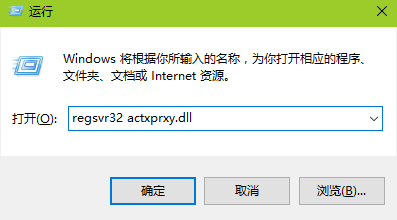
原文提供的 proxycfg、net stop wuauserv、重命名資料夾、批次註冊 30 多個 DLL、net stop cryptsvc 等步驟,屬於 **針對 Windows Update 元件損毀的激進修復手法**,操作不當極易導致系統更不穩定。**非專業人士請勿嘗試**。
正規 Windows Update 修復建議
- 執行內建疑難排解:控制台 → 疑難排解 → 系統與安全性 → Windows Update。
- 使用 Microsoft 官方 Windows Update 疑難排解工具。
- 若仍失效,嘗試
DISM /Online /Cleanup-Image /RestoreHealth + sfc /scannow (Win 7 需安裝 DISM 套件)。
- 最終手段:重灌或還原系統映像。