Win7 檔案總管地址列會記錄輸入過的路徑歷史(TypedPaths),涉及隱私時需徹底清除。透過註冊表編輯 TypedPaths 鍵值並重設權限可完整移除記錄,防止他人查看瀏覽軌跡。
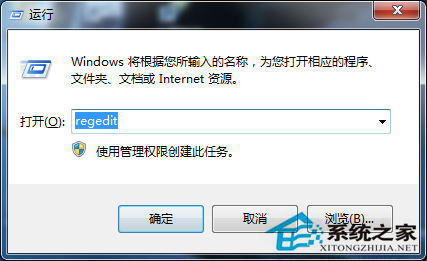
Win + R → regedit。
展開:HKEY_CURRENT_USER\Software\Microsoft\Windows\CurrentVersion\Explorer\TypedPaths。
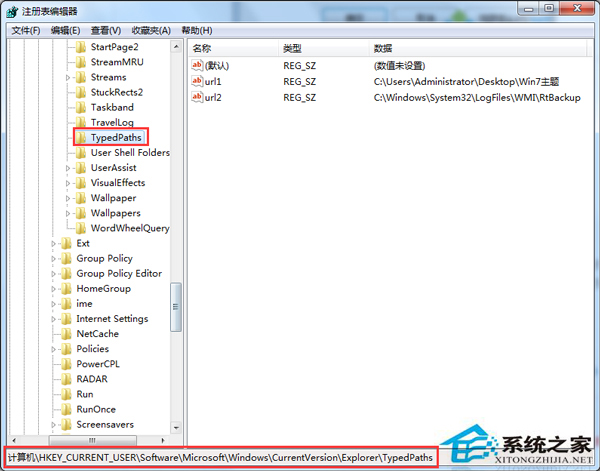
url1、url2... 值 → 刪除。TypedPaths 項目 → 「權限」 → 選擇目前使用者帳號 → 勾選「完全控制」拒絕(或移除寫入權限)→ 確定。替代方案:檔案總管 → 「工具」→「資料夾選項」→「一般」索引標籤 → 「清除」按鈕可清除近期記錄,但無法防止新記錄寫入。註冊表權限法可徹底禁用記錄功能。