Windows XP Windows 7 Windows 2003 Windows Vista Windows 綜合教學 Linux 系統教學
Windows 10 Windows 8 Windows 2008 Windows NT Windows Server 電腦軟體教學

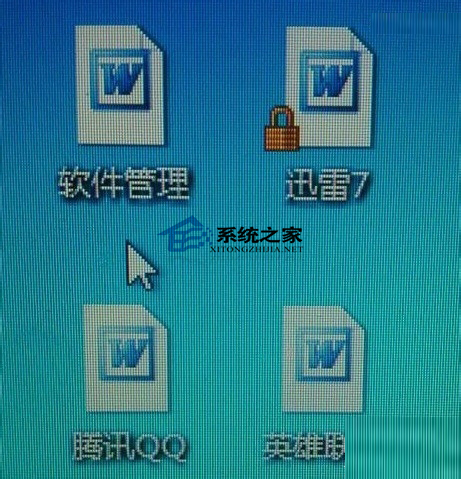
Win7 桌面圖示全變 Word 圖示?清除圖示快取重建即時恢復

編輯:Win7 系統應用技巧

Windows 7 開機發現所有桌面圖示、工作列圖示、檔案總管圖示全部變成 Word 圖示,此為圖示快取 (IconCache.db) 損毀導致。清除快取檔案重開機即可自動重建恢復正常。

清除圖示快取步驟

  1. 開啟「電腦」→ 定位至 C:\Users\<使用者名稱>\AppData\Local (隱藏資料夾,需「檢視」→ 勾選「隱藏項目」)。
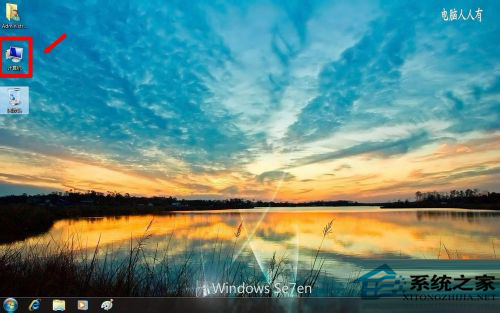
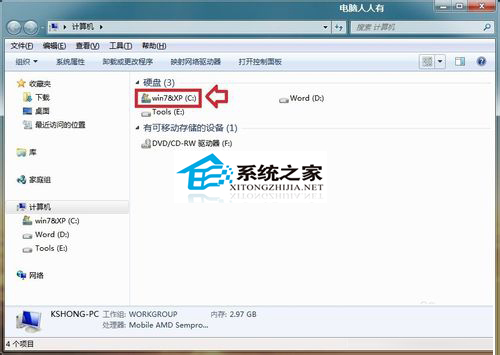
  2. 電腦定位 C 槽 Users 目錄

    C 槽根目錄

  3. 找到 IconCache.db → 刪除 (若無法刪除,工作管理員結束 explorer.exe 再刪)。
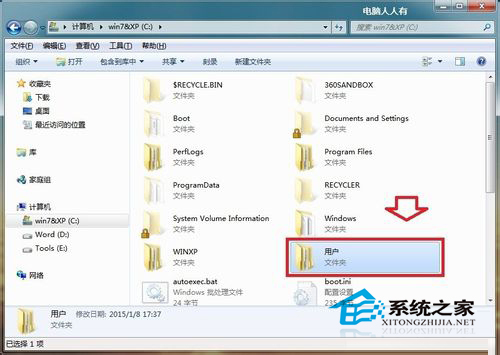
  4. Users 資料夾結構

  5. 重新開機或工作管理員「檔案」→「執行新工作」→ explorer.exe 重啟檔案總管,圖示自動重建恢復正常。

快速指令法 (管理員命令提示字元)

taskkill /f /im explorer.exe
del /a %userprofile%\AppData\Local\IconCache.db
start explorer.exe

預防建議

  • 避免使用激進的系統優化/清理工具 (可能誤刪/損毀快取)
  • 定期重開機讓系統自然維護快取
  • 若頻發,檢查磁碟健康度 (chkdsk) 與檔案系統完整性 (sfc /scannow)

桌面圖示全變 Word 圖示範例

圖示快取損毀為常見無害問題,清除重建即時解決,無需重灌系統。

Copyright © Windows教程網 All Rights Reserved