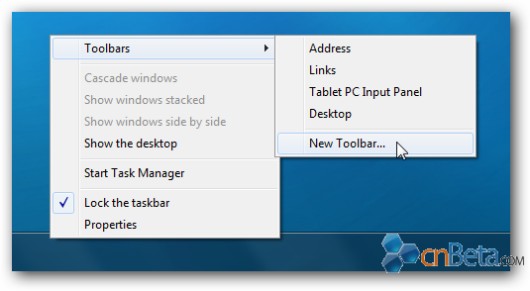
Windows 7 新任務列取代了自 Win 98 以來的「快速啟動」列,但其實只需幾個動作即可找回:
%appdata%\Microsoft\Internet Explorer\Quick Launch 並選擇資料夾。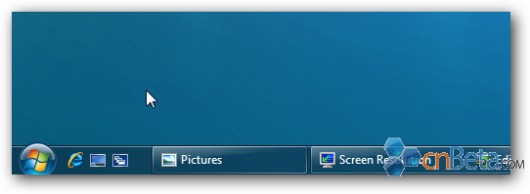
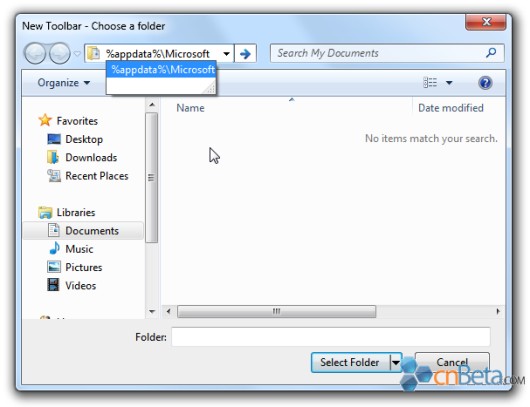
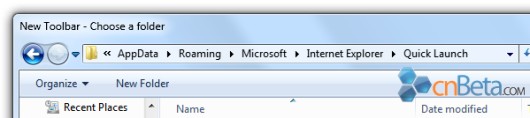
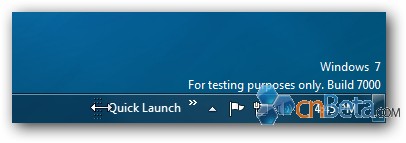
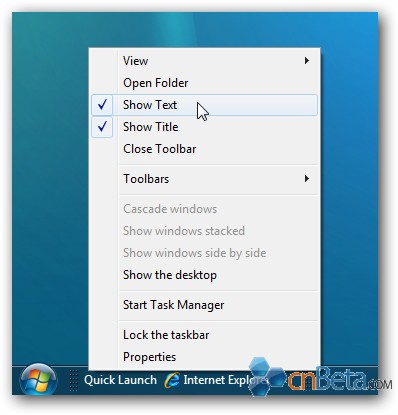
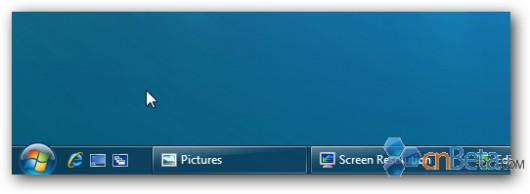
經典快速啟動列完美回歸,習慣舊操作的使用者不再適應新介面。
Win7 開機顯示 checking file system on 怎麼解決?修復檔案系統或更換壞軌硬碟
Win7 結束程序熱鍵大全:Esc、Alt+F4、Ctrl+Alt+Del、Ctrl+Shift+Esc、任務管理員 Alt+E
Win7「Documents and Settings」資料夾被鎖無法開啟?權限修復教學
電腦開機顯示「Windows 未能啟動」怎麼辦?從排查到重灌完整指引
Conime.exe 是什麼?Win7/8 不應存在,出現多為病毒,鑑別與清除全攻略
Win7 RECYCLER 資料夾是什麼?能否刪除?病毒怎麼清?