Windows XP Windows 7 Windows 2003 Windows Vista Windows 綜合教學 Linux 系統教學
Windows 10 Windows 8 Windows 2008 Windows NT Windows Server 電腦軟體教學

Conime.exe 是什麼?Win7/8 不應存在,出現多為病毒,鑑別與清除全攻略

編輯:Win7 系統應用技巧

Conime.exe 是微軟為亞洲版 Windows 2000/XP/2003 設計的系統進程,支援命令提示字元下的輸入法。**Win7/8/10/11 系統原生不含此進程**。若在新系統發現它,極大機率是病毒偽裝。
正常行為(僅限舊系統)

  • 路徑:C:\Windows\System32\conime.exe
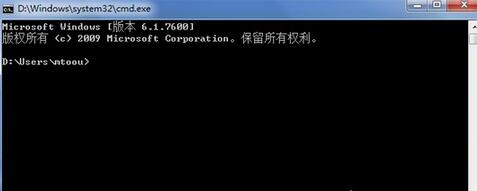
  • 僅在開啟 cmd.exe 時啟動,關閉 cmd 則結束。
  • 功能:讓命令列支援中文/特殊符號輸入。不輸入時 CPU 0%,連續輸入時 CPU 升高。

病毒鑑別 5 大鐵律

  1. 未開 cmd 卻在執行 → 病毒。
  2. 開 cmd 但未打字 CPU 持續波動 → 病毒。
  3. 不在 System32 目錄 → 病毒。
  4. 刪除 System32 內檔案後進程仍在 → 病毒。
  5. Win7/8/10/11 系統出現 → 99% 病毒。

手動清除步驟

  1. 工作管理器結束 conime.exe 進程。
  2. 刪除 C:\Windows\System32\conime.exe 檔案。
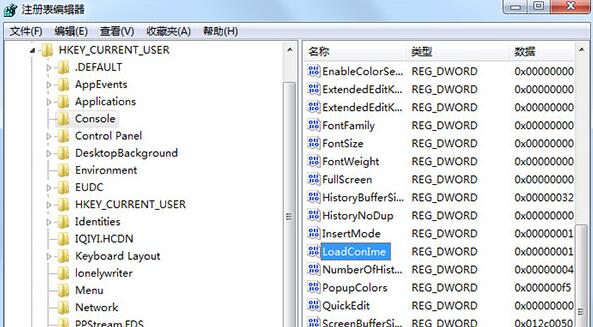
  3. Win+R 輸入 regedit,展開 HKEY_CURRENT_USER\Console,雙擊 LoadConIme 改為 0。

⚠️ 建議配合殺毒軟體全盤掃描,徹底清除殘留後門。

Copyright © Windows教程網 All Rights Reserved