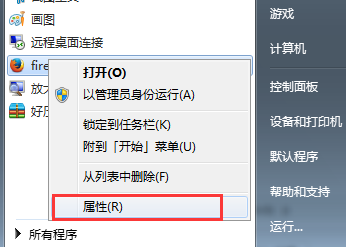
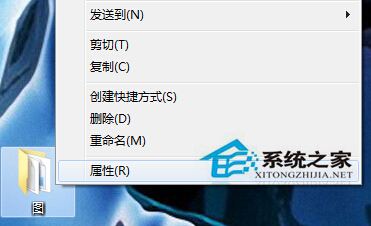
多人共用電腦,重要資料如何防止被閱覽/複製?Win7 專業版/企業版/旗艦版內建 EFS (加密檔案系統) 可透明加密資料夾,僅持有憑證的使用者可存取。
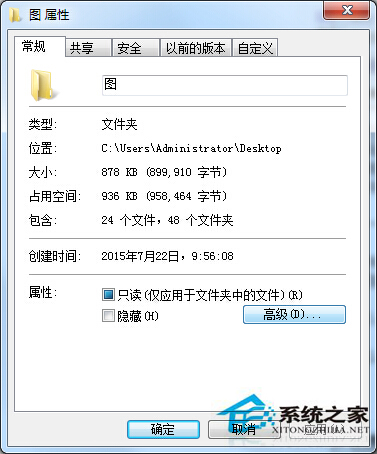
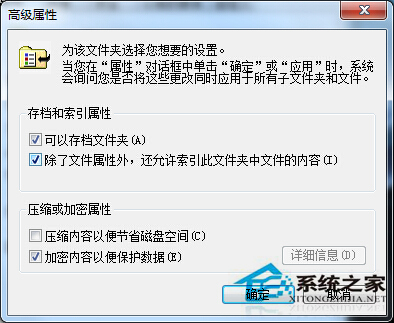
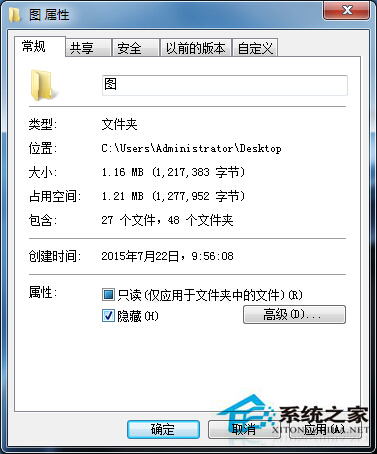
關鍵提醒:
- 首次使用 EFS 會提示「備份您的檔案加密憑證和金鑰」,**務必備份至 USB/外接硬碟** (憑證 .pfx 檔),否則重裝系統/帳號損壞將永久無法解密存取資料!
- 家用版不支援 EFS,可使用第三方加密軟體 (如 VeraCrypt, BitLocker 針對整顆磁碟)。
Win7 插入 USB 彈出「掃描並修復」?停用 Shell Hardware Detection 服務即可取消提示
微軟 Windows 7 定時關機批次檔:關機前 1 分鐘提醒、可自訂多時段排程
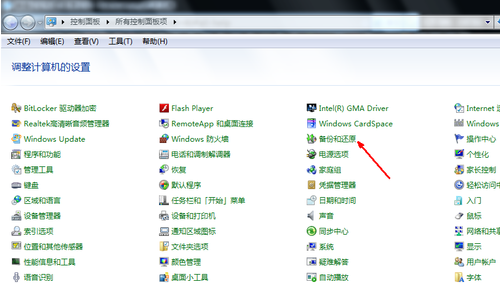
Win7 一鍵還原系統:系統還原功能建立還原點 → 選擇還原點 → 重啟還原,附備份工具下載連結
Win7 執行軟體跳出 Runtime Error 執行階段錯誤?登錄清理啟動項解決
Windows 7 重灌後必做 5 項關鍵初始設定:自動更新、UAC、系統還原、電源計畫、防火牆
Win7 持續提示檔案損毀?磁碟檢查修復檔案系統錯誤與壞軌、系統還原/重裝終極方案