Windows XP Windows 7 Windows 2003 Windows Vista Windows 綜合教學 Linux 系統教學
Windows 10 Windows 8 Windows 2008 Windows NT Windows Server 電腦軟體教學

Win7 桌面右鍵沒反應?群組原則啟用預設右鍵選單恢復操作

編輯:Win7 系統應用技巧

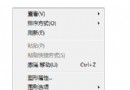
Win7 桌面右鍵點擊無反應、選單不彈出,常因群組原則啟用了「移除 Windows 檔案總管預設內容功能表」。透過 gpedit.msc 停用該原則即可恢復。

操作步驟

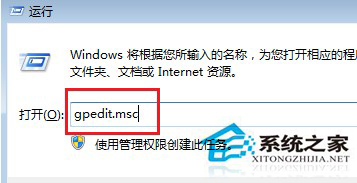
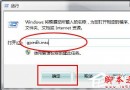
  1. 執行 gpedit.msc 開啟本機群組原則編輯器
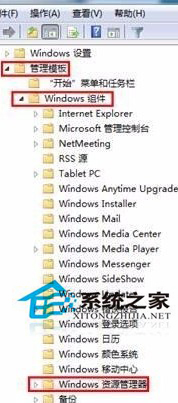
  2. 依序展開:使用者設定 → 系統管理範本 → Windows 元件 → Windows 檔案總管
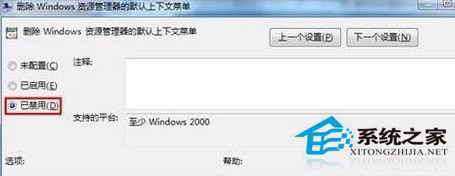
  3. 右側雙擊 「移除 Windows 檔案總管的預設內容功能表」
  4. 選擇 「已停用」 → 套用 → 確定
  5. 重新登入或重啟 explorer.exe 生效

執行gpedit.msc

群組原則檔案總管路徑

設定已停用恢復右鍵

替代方案(Home 版無 gpedit):
註冊表:HKEY_CURRENT_USER\Software\Microsoft\Windows\CurrentVersion\Policies\Explorer
建立/修改 DWORD NoViewContextMenu = 0

延伸閱讀:若問題持續,請檢查第三方右鍵擴充套件(如壓縮軟體、雲端同步)是否衝突,嘗試清理啟動項或系統還原。

Copyright © Windows教程網 All Rights Reserved