Win7 外觀上無 Sidebar,實則以「小工具」形式存在,仍佔用系統資源。可透過停用 UAC、刪除登錄檔啟動項、或系統設定 (msconfig) 禁止 Sidebar 啟動。
方法一:刪除登錄檔啟動項
- Win+R →
regedit。
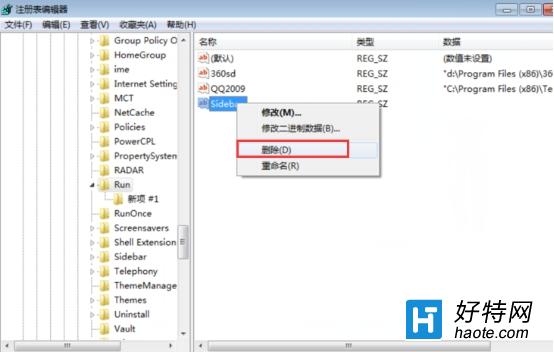
- 瀏覽至:
HKEY_CURRENT_USER\Software\Microsoft\Windows\CurrentVersion\Run
- 右側找到 Sidebar 字串值 → 右鍵 刪除。
方法二:系統設定 (msconfig)
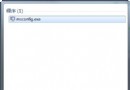
- Win+R →
msconfig → 啟動 頁籤。
- 取消勾選 Sidebar / Windows Sidebar → 確定 → 重開機。
補充
- 停用 UAC (使用者帳戶控制) 亦可間接阻止 Sidebar 自動啟動,但會降低系統安全性,不建議。
- Win7 正式版以「小工具」取代 Sidebar,若不使用小工具,可右鍵桌面 → 檢視 → 取消勾選 小工具 隱藏小工具面板。
刪除登錄檔啟動項或 msconfig 禁用,徹底關閉 Sidebar/小工具,釋放記憶體與 CPU 資源。