Windows 7 旗艦版/企業版支援安裝多國語言包(MUI)切換顯示語言。本文示範如何透過 Windows Update 下載英文語言包,並在控制台切換系統介面為英文。
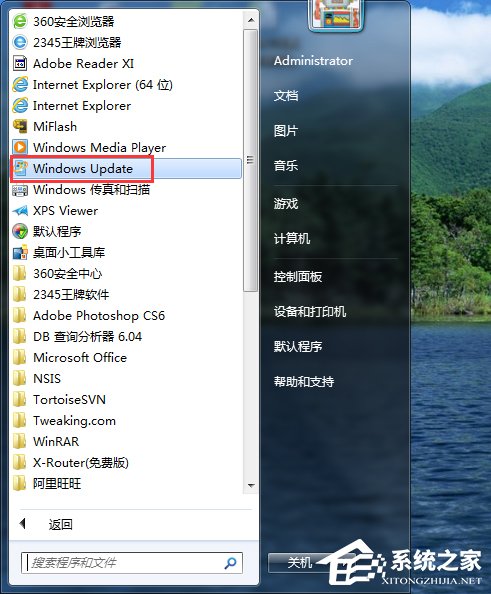
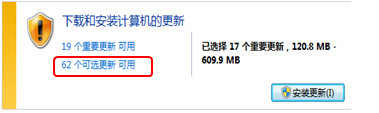
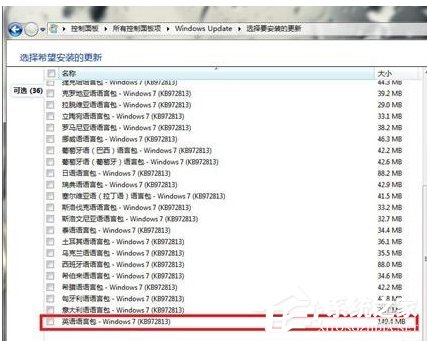
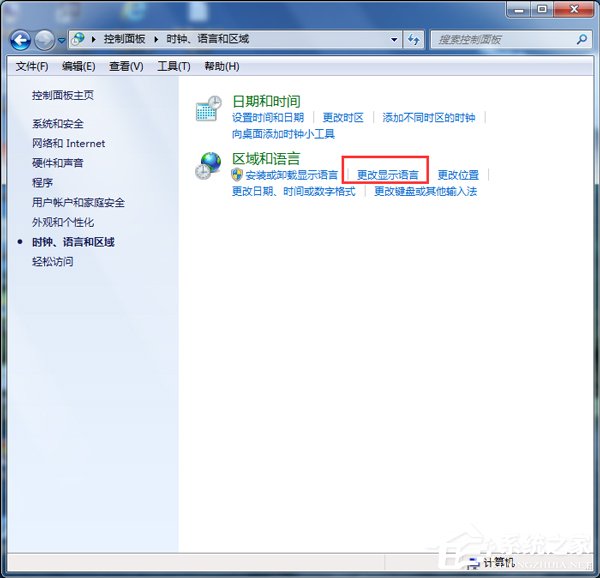
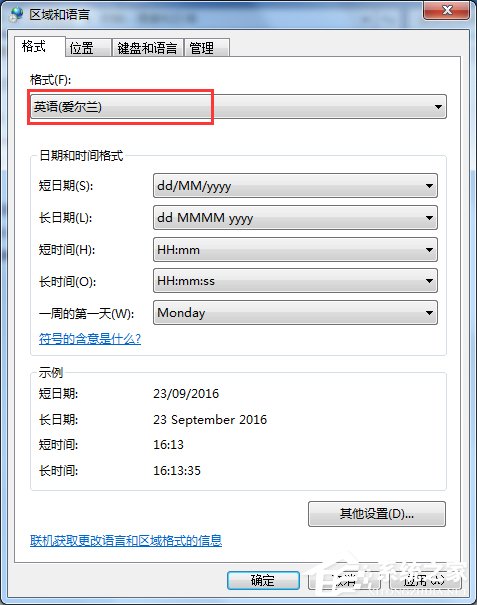
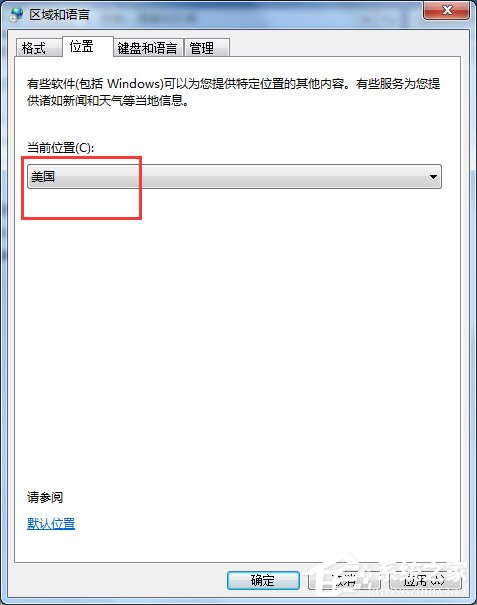
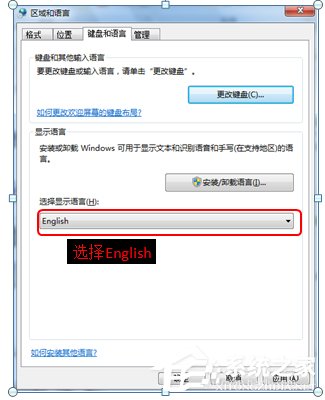
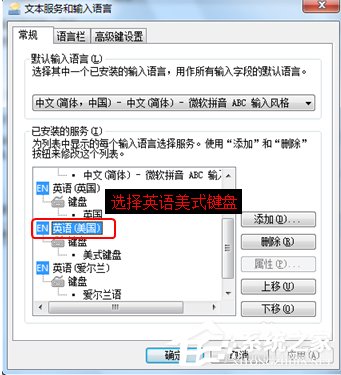
補充:僅旗艦版/企業版支援 MUI 切換;家用版/專業版需重裝對應語言版本系統。
Win7 ADSL 撥號上網完整設定教學:建立連線、加速撥號、開機自動撥號與隱藏視窗
Windows 7 64 位元執行 regsvr32 提示不相容?需呼叫 32 位元版本
Win7 绝对不能关闭的 10 大系统服务:杀毒、DNS、网络连接、PlugPlay、打印后台、RPC... 关了系统必崩
Win7 任務列小喇叭提示「音訊裝置服務已停用」?修正 Windows Audio 服務登入身分為 Local Service
Win7 如何恢復被刪除的「桌面小工具」?開始功能表搜尋「小工具」一鍵還原
Win7 Word 文件插入圖片易跑版?善用「繪圖畫布」自動對齊美化排版