Windows XP Windows 7 Windows 2003 Windows Vista Windows 綜合教學 Linux 系統教學
Windows 10 Windows 8 Windows 2008 Windows NT Windows Server 電腦軟體教學

Win7 無法啟動 Print Spooler 服務錯誤 1068?檢查 RPC 服務與登錄依賴修復

編輯:Win7 系統應用技巧

啟動 Print Spooler 報錯 1068「相依性服務或群組無法啟動」,主因相依服務 Remote Procedure Call (RPC) 或 Windows Event Log 被停用,或登錄相依值異常。

修復步驟

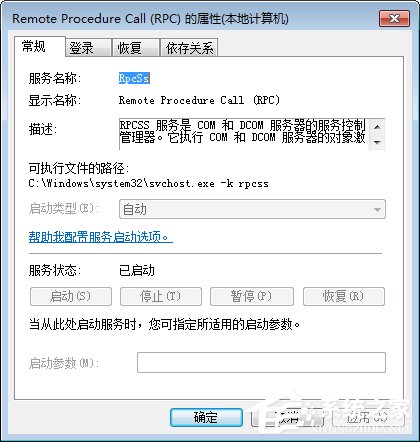
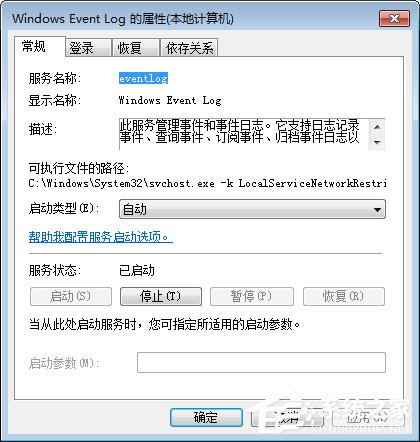
  1. 服務中檢查 Remote Procedure Call (RPC)、Windows Event Log 是否為「自動」且「已啟動」,否則啟用。
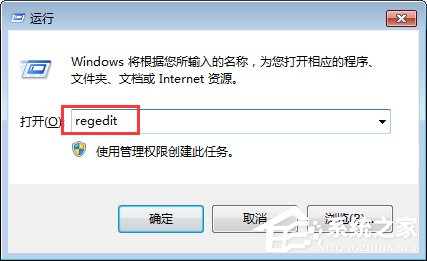
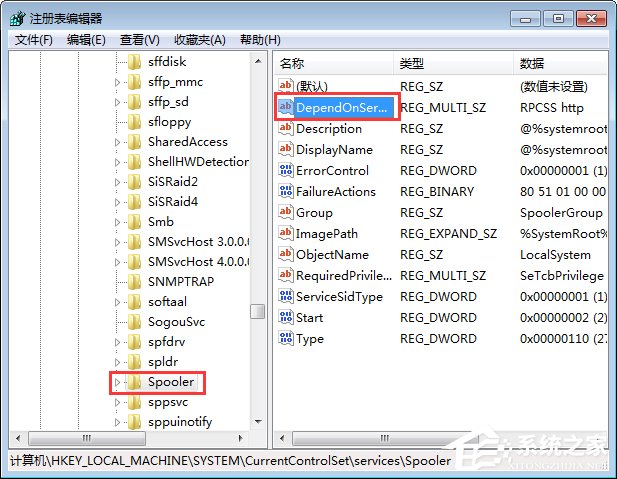
  2. Win+R → regedit → 瀏覽 HKEY_LOCAL_MACHINE\SYSTEM\CurrentControlSet\Services\Spooler。
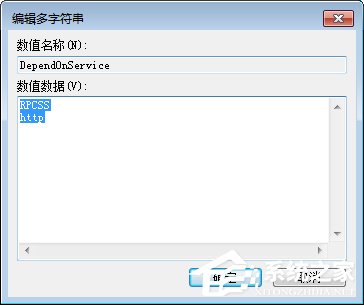
  3. 右側雙擊 DependOnService,將數值資料改為單行 RPCSS(原為 RPCSS 與 http 兩行) → 確定 → 重開機。
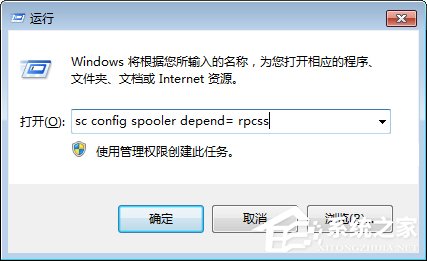
  4. 重開機後,Win+R → sc config spooler depend= rpcss 執行(加強確認)。
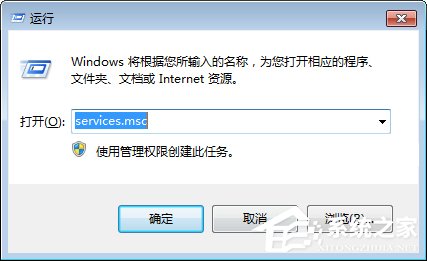
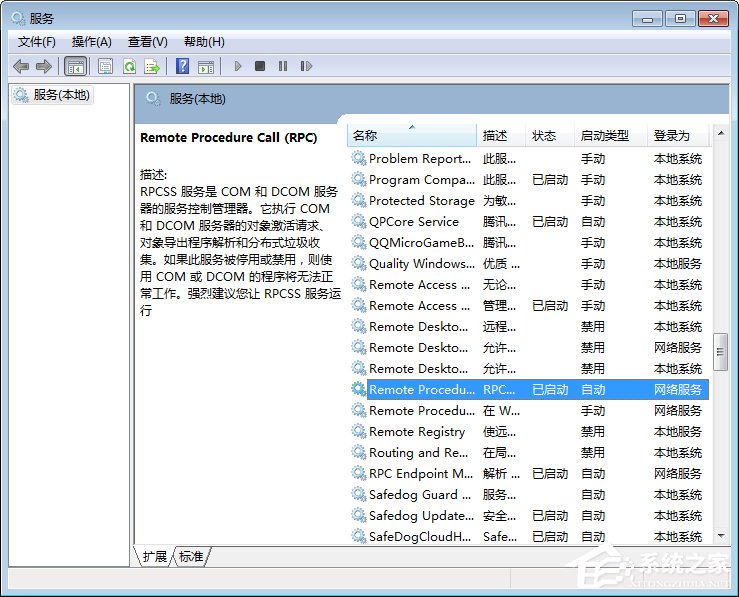
RPC服務屬性

RPC服務啟動

Event Log服務

Event Log啟動

開啟regedit

Spooler登錄路徑

DependOnService修改

sc指令執行

完成後 Print Spooler 應可正常啟動,印表機驅動安裝與列印功能恢復正常。

Copyright © Windows教程網 All Rights Reserved