ctfmon.exe(文字服務框架)負責輸入法指示器與語言列。遺失時執行:
ctfmon.exe
reg add HKEY_CURRENT_USER\Software\Microsoft\Windows\CurrentVersion\Run /v ctfmon /t REG_SZ /d C:\Windows\System32\ctfmon.exe /f
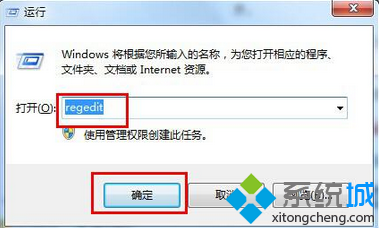
於「執行」(Win+R)或 CMD 貼上執行,重開機即恢復輸入法圖示。預設應隨系統自動啟動,缺失通常為優化軟體誤刪或病毒所致。
Win7 搜尋功能不如 XP 好用?掌握萬用字元 * 讓模糊搜尋秒變精準
Win7 Word 文件插入圖片易跑版?善用「繪圖畫布」自動對齊美化排版
Win7 解決 mscorsvw.exe 進程佔用高 CPU:停用 .NET Framework NGEN 服務
電腦投屏到手機:TeamViewer 等遠程控制方案實測與替代選擇
Win7 安全憑證過期/錯誤?MMC 移除舊憑證重新匯入
8GB 記憶體只顯示 3.45GB 可用?核顯共用記憶體/32位系統/硬體保留三大原因
Windows 7 手動清理垃圾檔案完整指南:資料夾與登錄檔雙管齊下
Win7 右鍵桌面圖示沒有「開啟」選項?修復 .lnk 捷徑關聯一行指令搞定