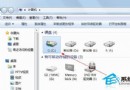
桌面即刻恢復對應系統圖示。此設定適用於全新安裝遺失圖示、或誤刪後恢復。
Windows 7 程式庫功能深度應用:虛擬資料夾跨分區統一管理、搜尋、輸出
鍵盤失靈/按鍵無反應?換鍵盤測試、重裝系統雙管齊下
Win7 玩 DNF 錯誤、閃退、版本不符完整排解指南
Win7 找回快速啟動列:三步驟完美復活經典工具列
Win7 應用程式無法啟動「平行組態不正確」?兩大核心修復:啟用 Windows Modules Installer + 裝 VC++ 執行階段
Win7 釋放記憶體提升效能:硬體升級 + 軟體優化雙管齊下
電腦右下角圖示異常/消失/亂碼?五招快速修復
Win7 任務列小喇叭提示「音訊裝置服務已停用」?修正 Windows Audio 服務登入身分為 Local Service