Windows XP Windows 7 Windows 2003 Windows Vista Windows 綜合教學 Linux 系統教學
Windows 10 Windows 8 Windows 2008 Windows NT Windows Server 電腦軟體教學

Win7 便箋無法開啟?複製 InkObj.dll 到 System32 並註冊 regsvr32 修復

編輯:Windows 7 系統介紹

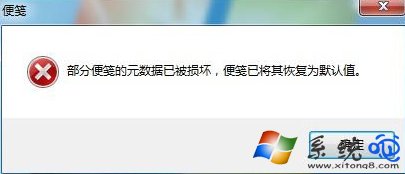
Win7 便箋損壞無法開啟,核心檔案 InkObj.dll 遺失或未註冊。搜尋系統中現有檔案複製到 C:\Windows\System32 並執行 regsvr32 InkObj.dll 註冊即可修復。
修復步驟

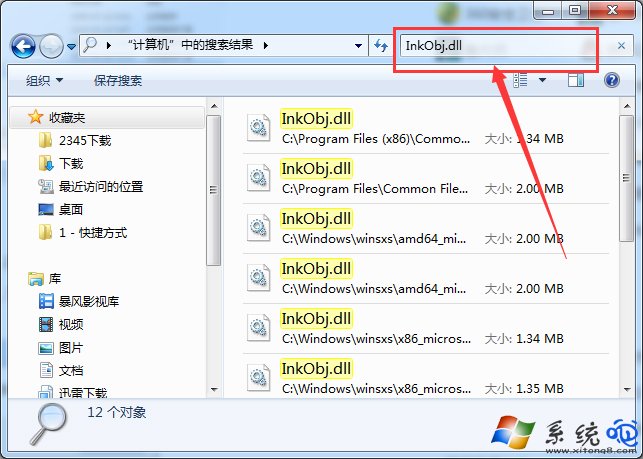
  1. Win+F 搜尋 InkObj.dll,找到後右鍵「開啟檔案位置」複製檔案。
    便箋損壞錯誤 搜尋 InkObj.dll 複製到 System32
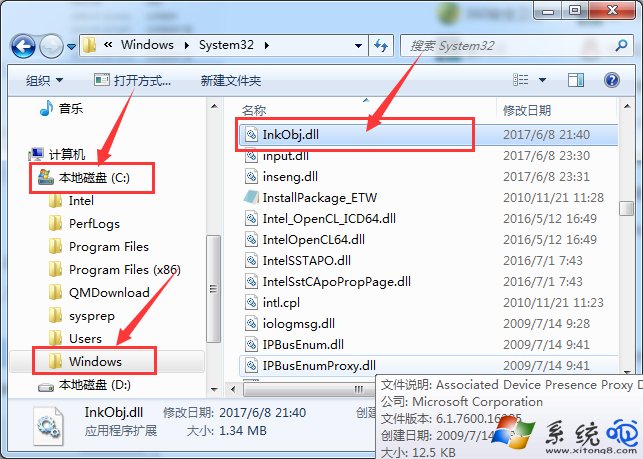
  2. 將檔案貼上至 C:\Windows\System32\。
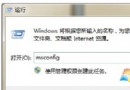
  3. Win+R > 輸入 regsvr32 InkObj.dll >「確定」,彈出「DllRegisterServer 在 InkObj.dll 中成功」即註冊完成。
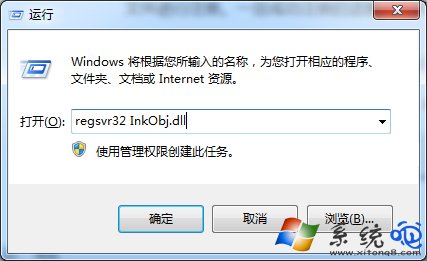
    regsvr32 註冊成功
  4. 重新開啟便箋 (開始 > 附屬應用程式 > 便箋,或 Win+R > StikyNot),恢復正常。
    便箋恢復

注意事項

  • 指令 regsvr32 需 32 位元系統,64 位元系統若註冊 32 位元 DLL 需用 %SystemRoot%\SysWOW64\regsvr32.exe InkObj.dll。

  • 若系統找不到 InkObj.dll,可從同版本 Win7 安裝映像 (install.wim) 用 7-Zip 提取,或從其他同版本電腦複製。
Copyright © Windows教程網 All Rights Reserved