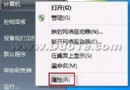
點擊「我的電腦」屬性彈出「找不到 rundll32.exe」,執行檔雙擊變「開啟方式」選單,防毒軟體消失,無法安裝任何程式。
木馬/病毒修改登機檔 HKEY_CLASSES_ROOT\.exe 或 exefile\shell\open\command 關聯,導致系統無法正確啟動執行檔。
C:\Windows\regedit.exe 複製並重命名為 regedit.com 或 regedit.scr。regedit.com,瀏覽至 HKEY_CLASSES_ROOT\exefile\shell\open\command。"%1" %*。regedit.com 改回 regedit.exe。fix_exe.reg:Windows Registry Editor Version 5.00
[HKEY_CLASSES_ROOT\exefile\shell\open\command]
@="\"%1\" %*"
regedit fix_exe.reg。cmd.exe 改名為 cmd.com。cmd.com,輸入:ftype exefile="%1" %*assoc .exe=exefilecmd.exe,重啟。EXE → 「進階」→ 關聯應用程式選「應用程式」→ 確定。修復後立即全盤掃毒,清除修改關聯的木馬根源,否則極易復發。