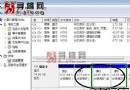
Aero Snap 將視窗拖至螢幕邊緣自動最大化或左右分屏,但許多用戶(特別是 QQ 等需自動隱藏邊緣的軟體)覺得反而干擾。可透過「輕鬆存取中心」簡單停用。
此功能屬個人偏好,不需即可輕鬆關閉,避免誤觸發帶來的困擾。
善用 Windows 7 程式庫排序與篩選:照片、文件秒速定位的實用技巧
Win7/Win8 隱藏硬碟分區保護隱私資料:魔方電腦大師一鍵設定
解決 Windows 7 筆電部分線上影片無法播放:停用 GPU 硬體加速
Win7 利用 chkdsk 指令修復磁碟壞軌與遺失叢集
直接升級 Win 7!新版 ThinkPad X200 體驗評測
Win7 筆電專屬優化 5 招:行動中心、離開模式、任務列瘦身、合蓋不關機、觸控板防誤觸
Win7 純淨版安裝完整圖文教學:17 步驟從開機到桌面
Windows 7 磁碟重組教學:內建工具最安全、建議每月一次