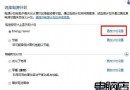
無需第三方軟體,Win7 內建效能監視器可產生詳細的硬體軟體健康報告。
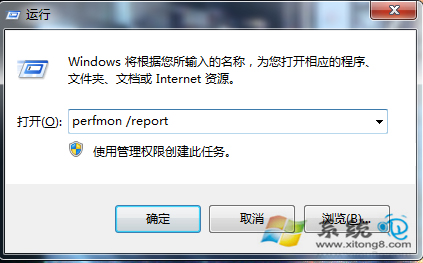
1. 按 Win+R 開啟「執行」,輸入 perfmon /report(注意 perfmon 後有空格),按 Enter。
perfmon /report
perfmon
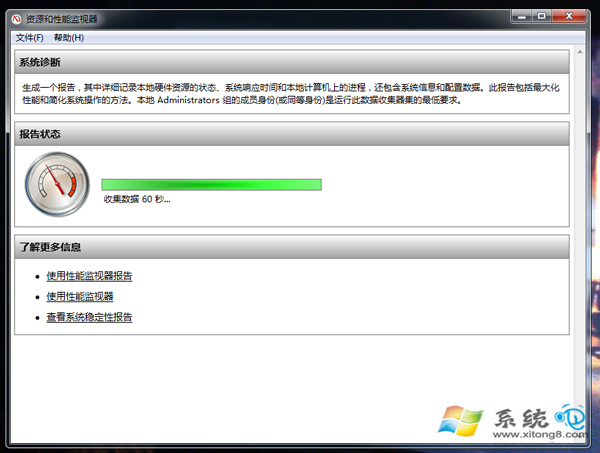
2. 系統啟動「資源與效能監視器」收集資料約一分鐘。
3. 報告產生後,各項目右側箭頭可展開查看詳細硬體、軟體、網路等診斷資訊。
透過健康報告快速掌握電腦狀態,免裝第三方檢測工具。
32 位元 Windows 7 突破 4GB 記憶體限制:ReadyFor4GB 破解教學
Win7 系統保護無法開啟報錯 0x8007007B?切換選項順序即可修復
Windows 7 玩遊戲不留痕跡:關閉遊戲資源管理器自動記錄最近玩過的遊戲
Win7 按 F1 無法打開幫助與支持?命令行替代方案與故障排查
Windows 7 防火牆無法開啟錯誤 0x80070422:Windows Firewall 服務未啟動
Windows 7 自訂系統字體打造個人化介面
Win7 滑鼠右鍵選單設定步驟:同 ID 79450 魔方優化大師圖文教學
Win7 休眠後無法喚醒?電源選項設定硬碟「永不關閉」與開啟休眠功能教學