右鍵選單項目過多影響操作,可透過登錄刪除 ContextMenuHandlers 下除 New 外的其他項目,精簡右鍵選單。
ContextMenuHandlers
New
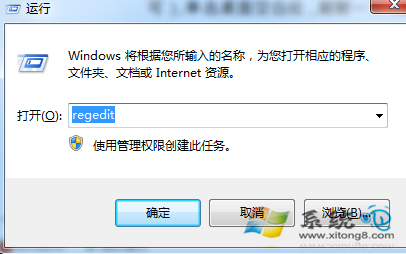
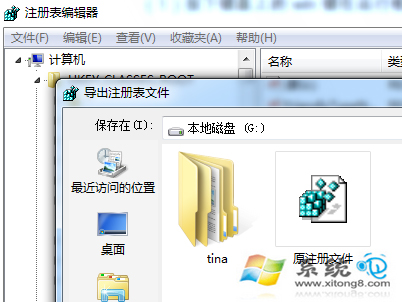
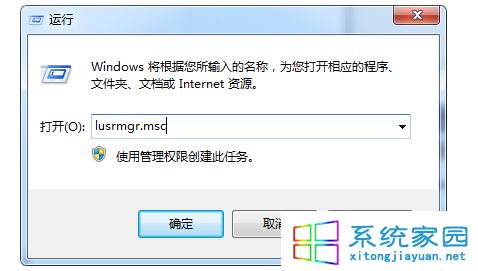
1. 按 Win+R 輸入 regedit,先從「檔案」→「匯出」備份登錄。
regedit
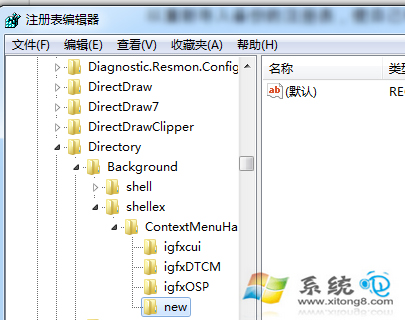
2. 定位至:HKEY_CLASSES_ROOT\Directory\Background\shellex\ContextMenuHandlers
HKEY_CLASSES_ROOT\Directory\Background\shellex\ContextMenuHandlers
3. 僅保留 New 項目,其餘右鍵刪除。
重新開機或重新啟動 explorer.exe 後,右鍵選單將僅保留基本項目,操作更清爽。
Win7 一鍵還原系統備份還原教學
Windows 7 漫畫教學:高效任務欄操作圖解
企業部署 Windows 7 加速器:MAP 工具組 + ACT 相容性工具包
Win7 註冊表 Shell 資料夾誤刪導致資料夾無法開啟?有備份還原、無備份重灌
Windows 7 開機流程詳解:從 BIOS 到核心載入的六階段
Win7 開機 lsass.exe 錯誤修復:替換系統檔、全盤掃毒、系統急救箱三步驟
Win7 無法開啟 Aero Peek 預覽桌面功能?效能設定啟用「啟用 Aero Peek」恢復
解讀 Windows 7 藍屏錯誤代碼:停止代碼、參數與建議動作完整說明